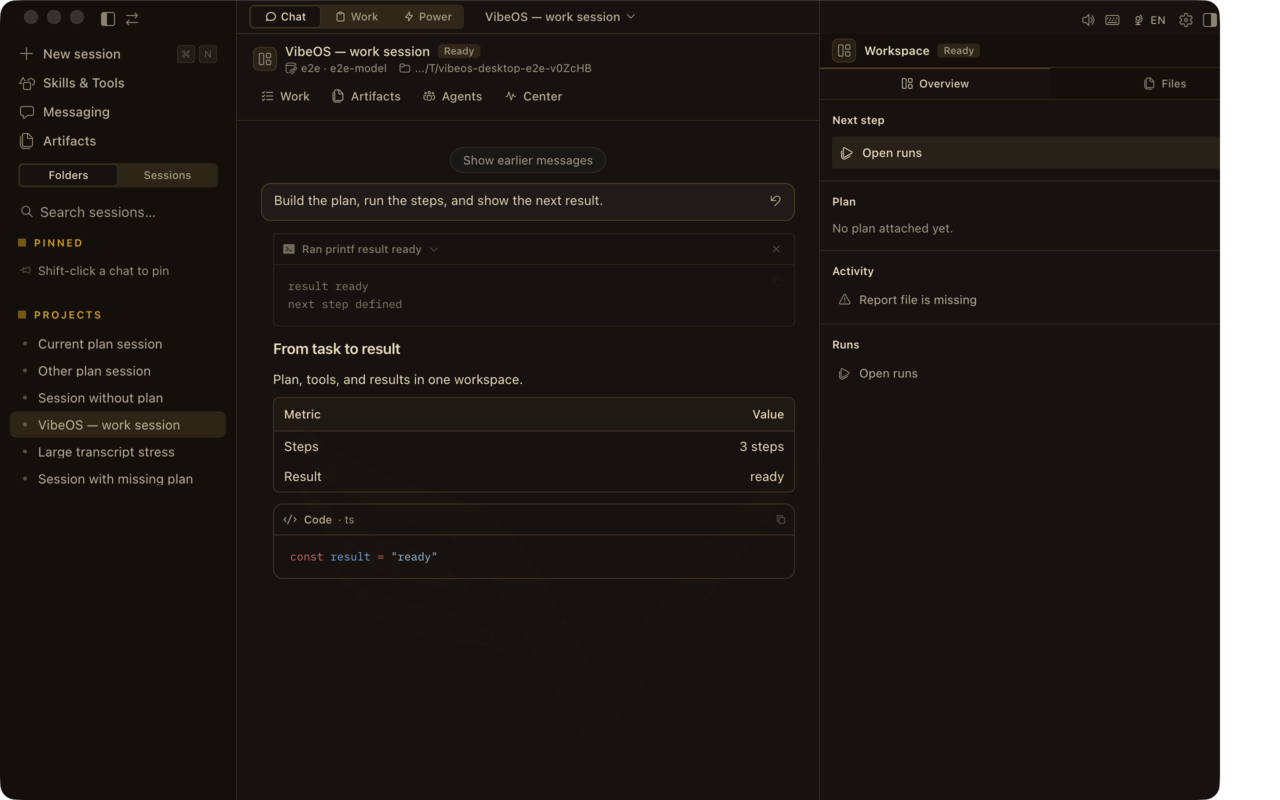
Copy a prompt, paste into Desktop composer, and watch tools run. Replace {topic} before sending the research recipe.
Ship a small code fix
In this repo, find a failing test or a clear TODO. Fix it with the smallest change, run the relevant tests, and summarize what changed in three bullets.
Paste into Desktop → send → confirm a tool/Plan change.
Research brief
Research {topic}. Gather sources with links, write a one-page brief with citations, and pause for approval before sending anything externally.
Paste into Desktop → send → confirm a tool/Plan change.
Local cleanup
Organize the Downloads folder: group by type, propose a short archive plan, and wait for approval before moving or deleting any files.
Paste into Desktop → send → confirm a tool/Plan change.
Verify it worked
Success looks like a tool result, a file change, or a Plan step flip — not only assistant prose in the chat.
In the DMG use “Install VibeOS”, or right-click the app → Open → Open. If macOS says the app is damaged, run the one-line Terminal fix on the Download page help card. Unsigned builds need one explicit allow.
Windows SmartScreen warning
Choose More info → Run anyway. This is expected for the current unsigned installer; Authenticode arrives with the commercial release.
Model calls fail
Open Accounts and add a provider API key (BYOK). Hosted seats do not replace your model keys — without a key, tools that need a model stall.
Download buttons stay locked
Sign in on the site first — a free account unlocks Mac/Windows/CLI installers for this device. Then return to Download.