Inizia qui

VibeOS in linguaggio semplice

Se il resto del sito sembra tecnico, parti da qui. Un'idea per sezione — poi download, tour o trial del posto hosted.

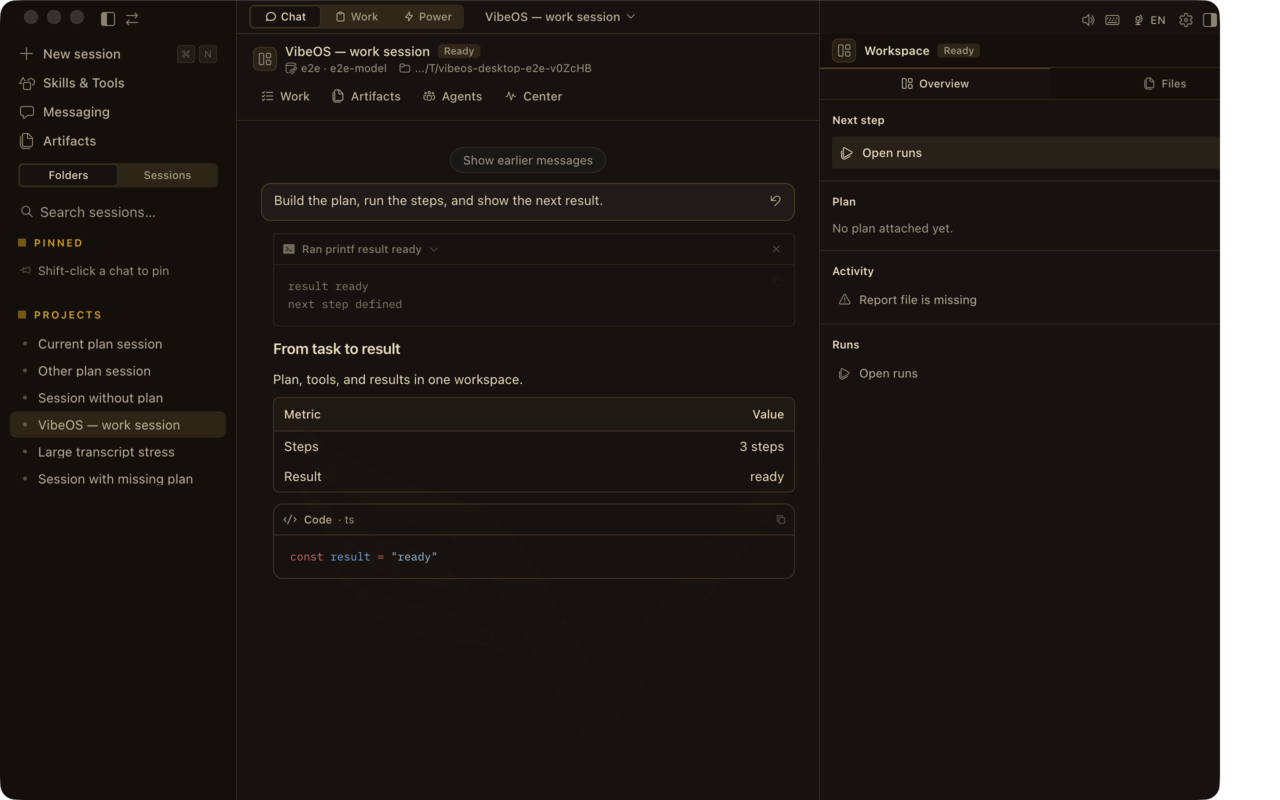
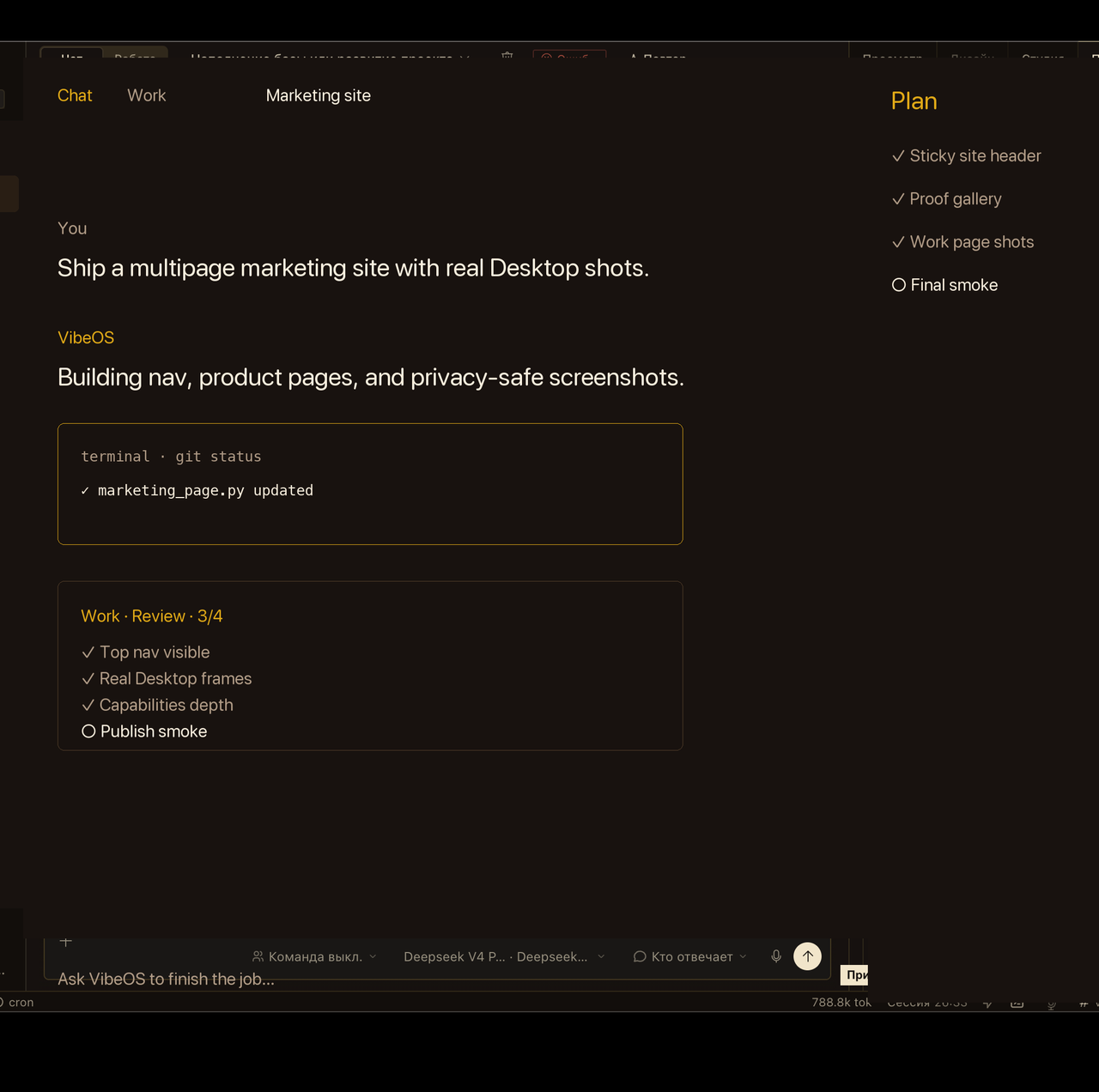
VibeOS Desktop chat with Plan rail
Chat + Plan rail — ask, plan, act, verify.

What you get

The same agent core across Desktop, CLI, gateway, and optional hosted seats.

Desktop that acts

Chat-only tools stop at suggestions and pasted diffs.

VibeOS Desktop pairs chat with a Plan rail, local tools, and a Work inbox on your machine — ask → plan → act stays visible.

Proof: privacy-safe Desktop chat + Plan rail frames on Product and Capabilities (gallery-manifest: task-plan-tools-result).
Open Product

Work that finishes

Closing the chat should not erase the goal you still need finished.

Work Mode keeps goals, steps, and approvals durable past a single conversation (inbox + fleet).

Proof: Work inbox / HQ frames on /work. Limit: cron and kanban are restart-durable; process-local delegate_task is not.

See Work Mode

Approvals and BYOK

Agents without brakes feel unsafe — and opaque about who pays for tokens.

Configured sensitive actions can wait for approval; model keys remain yours (BYOK).

Proof: Security page + approval-loop captures. Limit: approvals pause configured actions; they do not guarantee complete safety.

Read security

Full capability surface

Feature lists hide what the agent can actually do on a real job.

Tools, memory, cron, kanban, browser, media, and messaging — catalogued for real jobs, with handbook deep-links.

Proof: Capabilities catalog with Desktop frames. Limit: skills and memory providers are configured capabilities, not universal defaults.

Browse capabilities

Extend at the edges

Core tools should not absorb every niche feature on every API call.

Skills, plugins, hooks, and MCP keep the waist narrow while capability grows at the edges.

Proof: Ecosystem (/extend) for plugins and skills. Next: Tour steps on footprint ladder when you want the longer walkthrough.

Explore ecosystem

Public status you can check

Download and update health should not be a mystery or a marketing claim.

Portal health, Desktop feed version, and billing/checkout readiness on one status page you can refresh.

Proof: live Status page next to Changelog and Download. Next: Get started when the feed looks healthy.

Open status

Local vs hosted

Download is free either way. Hosted adds a managed seat.

Dimension Local Desktop Hosted seat
Where state livesOn your machine under VibeOS homeOn your managed hosted seat
Model API keysBYOK in local config / .envBYOK on the hosted seat (still yours)
Messaging gatewayYou run gateway + adapters locallyOptional when your seat includes it
Site accountFree login unlocks installers / updatesSame login + paid or invited seat
Who operates the runtimeYou — Desktop/CLI on your OSManaged seat on vibeos.com.ru

Trust boundaries

Approvals, BYOK keys, and what hosted does not include.

No token resale product

You bring model keys (BYOK). Hosted is a seat and portal — not a bundled LLM subscription.

Hosted is optional

Download and run locally for free. Hosted seats are for people who want a managed runtime.

Signed update path

Desktop feeds publish version metadata; signed updater fields appear when the release channel includes them.

Ready to try?

Download Desktop or walk the first-task guide.