VibeOS
您电脑上的个人 AI 代理
A personal AI agent that carries work through to the result
One memory, browser, terminal and your tools. Planning, scheduled work and agent teams in one account across web and local app.
From goal to result
Online + local
Your data under control
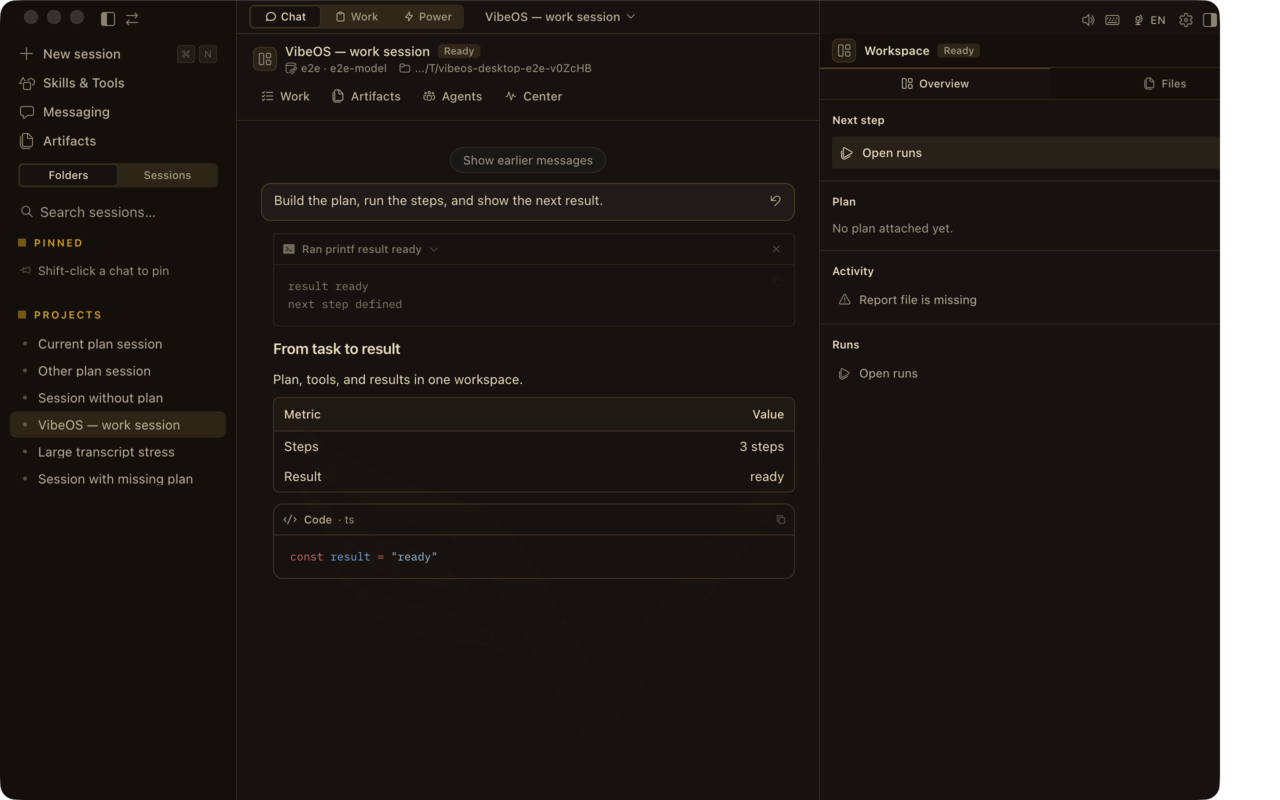 聊天 + Plan 栏 — 提问、计划、行动、验证。
MemoryProjects, decisions and preferences
ToolsBrowser, terminal, files and APIs
AutomationBackground and scheduled work
AgentsA team for complex work
Memory + agents
One context connects all the work
VibeOS remembers projects, decisions and preferences, gives agents the context they need, and connects browser, terminal, files and scheduled work.
How memory works →

你想完成什么?
选一个任务 — 然后看 Desktop 画面与安装路径。
交付代码
编辑、测试与 PR — 在你机器上动手的代理。
交付代码研究简报
收集来源、起草简报,并在审批门停下。
研究简报运维摘要
定时检查与可跨越重启的持久任务。
运维摘要完成一个目标
Work Mode — 当聊天窗口不能是终点时。
完成一个目标按页面探索
站点有意做成多页:每个区域都有证明与细节的空间。
产品
Desktop UI:Plan 栏、Command Center、语音与各界面。
打开产品
能力
完整能力目录 — 工具、记忆、cron、kanban、媒体、安全。
全部能力
Work Mode
目标 → 步骤 → 审批 → 聊天关闭后仍在的交付物。
查看 Work Mode
使用场景
编码、研究、运维与消息场景的具体任务。
浏览场景
安全
审批、BYOK、本地优先 — 什么留在你的机器上。
阅读安全
通俗说明
安装路径、首次会话,以及产品的六大支柱。
开始使用
产品长什么样
带 Plan · Report · Design · Runs 的 Desktop 聊天、Work 收件箱、审批与 skills。
画面截至 2026-08-06 — 随每个 Desktop 版本更新。
聊天 + Plan 栏 — 提问、计划、行动、验证。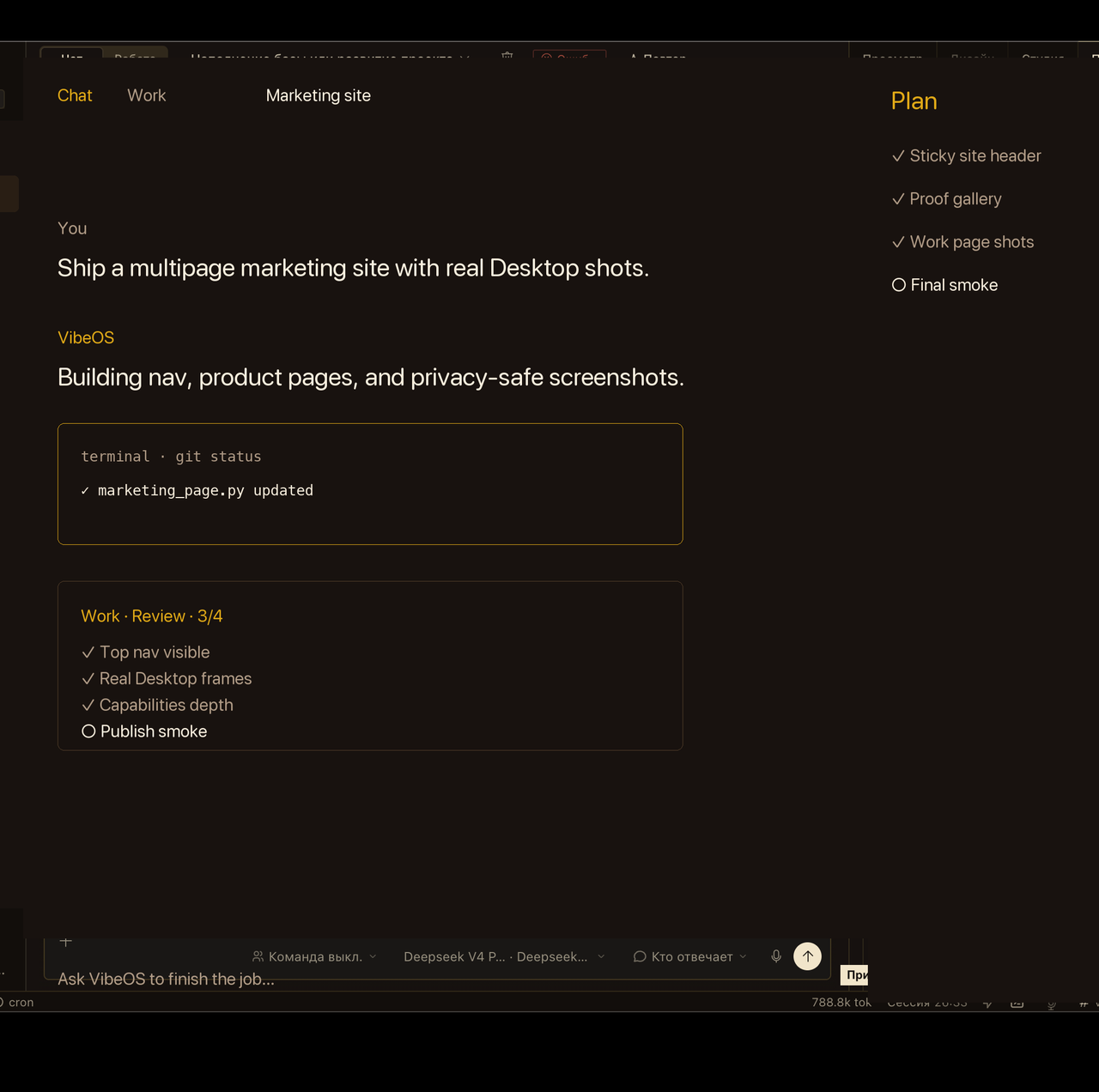 Work 收件箱在聊天窗口关闭后仍让目标可见。
 敏感操作会等待明确批准。
 Skills 加载可复用剧本,而不膨胀核心。
 动态
已发布循环:hero、审批与语音。减弱动态时仅显示海报。
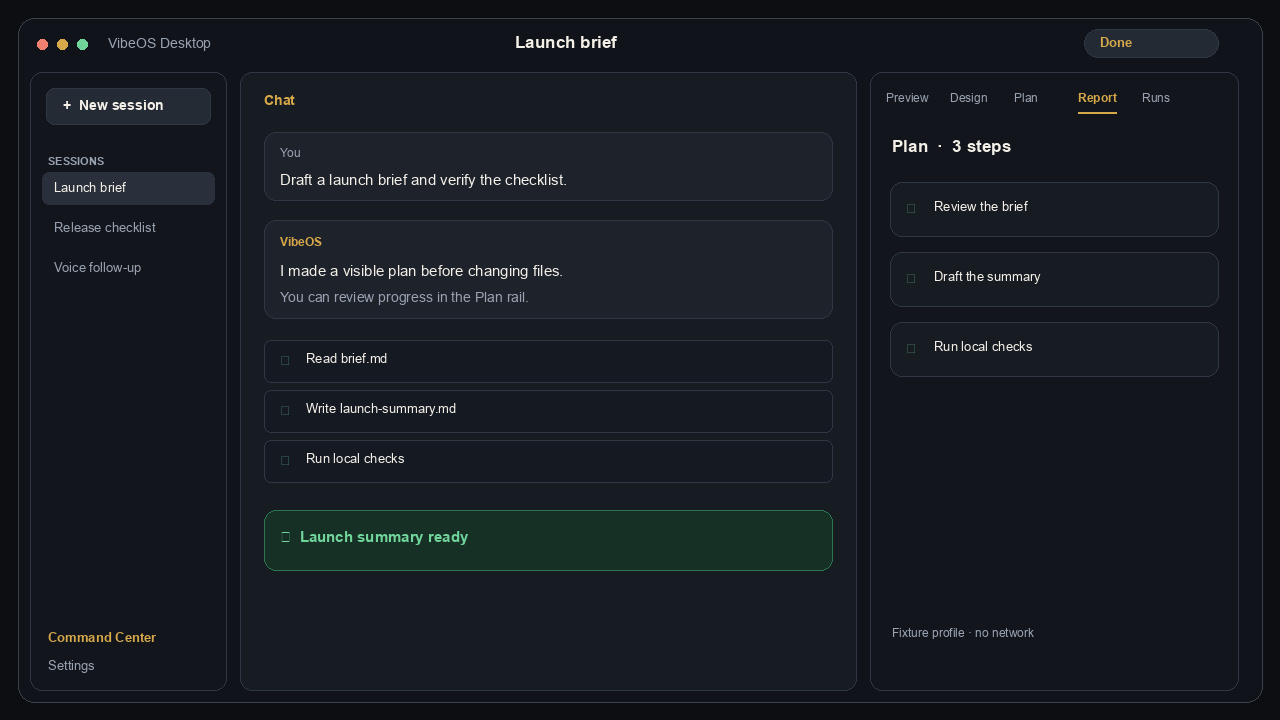 提问 → 计划 → 本地工具 → 结果。Persistent memory coordinates specialist agents and connected tools.
画面为注重隐私的产品截取(非客户实时会话)。
Choose the right level
Personal · 1 200 ₽
For personal projects, memory, tools and scheduled work.
Details
Pro · 1 800 ₽
For intensive work, Work Mode and agent teams.
Details
Team · 3 000 ₽
For five members, shared projects, roles and audit.
Details
Get connected in three steps
- Choose Personal, Pro or Team and complete payment.
- Sign in or create one VibeOS account.
- After activation, download the app from the protected account.
付款后通过邀请发放托管访问;每个账户都有隔离的 home(消息网关仍由运营方管理)。
完整概览