Gníomhaire AI pearsanta ar do ríomhaire

What VibeOS can do

A personal agent OS — not a chat sidebar. One agent core runs in Desktop, CLI/TUI, and messaging gateways. Desktop is the fullest surface; other entry points differ in setup. Catalog below is claim + proof; handbook holds procedures.

Download desktop See the tooling Product tour Plugins & hooks

Roghnaigh pointe tosaigh

Roghnaigh an cineál cabhrach atá uait; tacaíonn an gníomhaire céanna le gach cosán.

Choose a scenario to see an example.

One agent, many surfaces

Continue across desktop, terminal, dashboard, IDE, and messaging.

Files, terminal, and browser

Ask for help with the tools you already use on your computer.

Memory and skills

Keep useful context and open a playbook for repeatable work.

Schedules and shared work

Run jobs on a schedule and track larger work on a kanban board.

Work Mode

Turn a goal into steps, checkpoints, and a finished result.

Extend lightly

Add a skill, plugin, or connected service before changing the core.

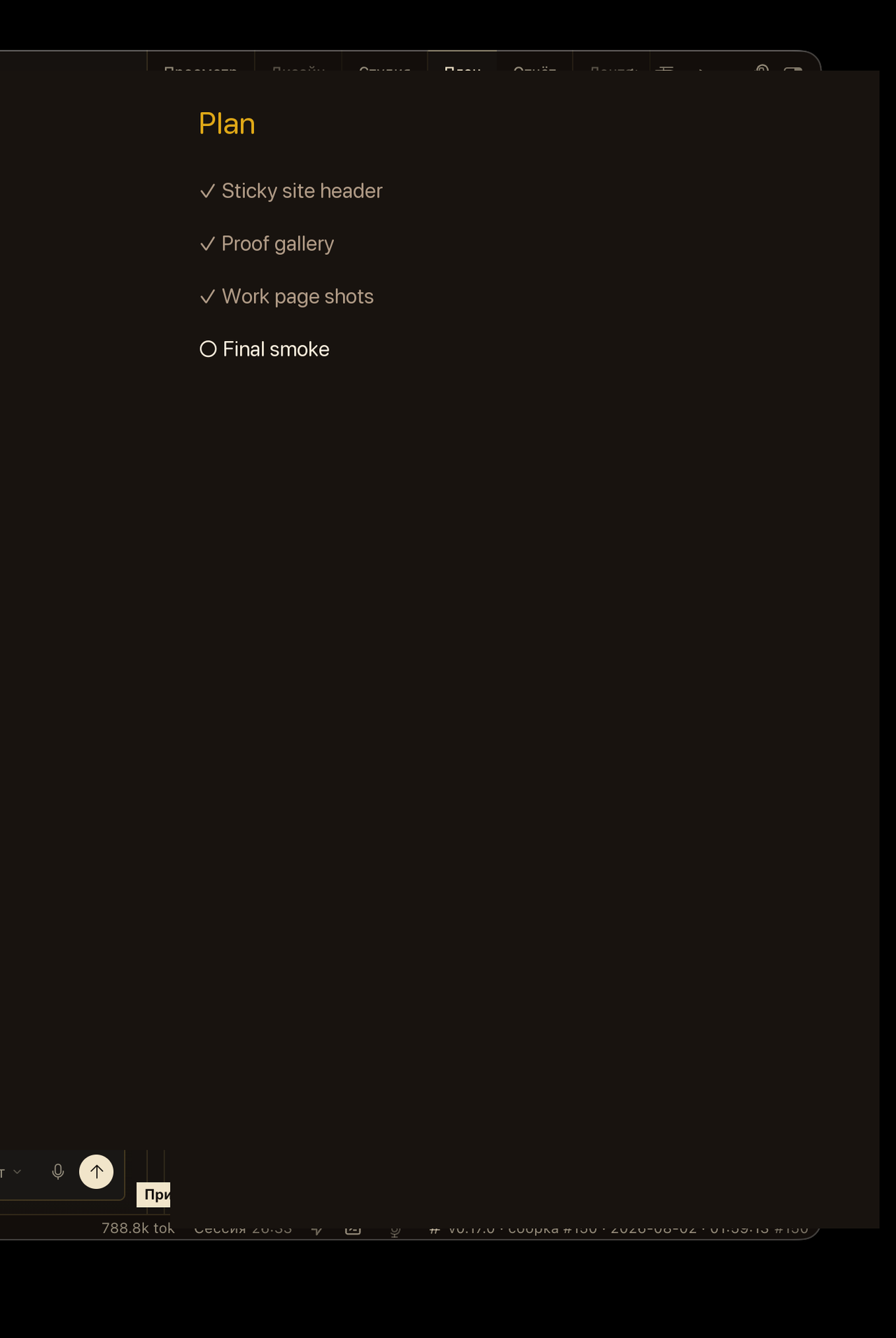
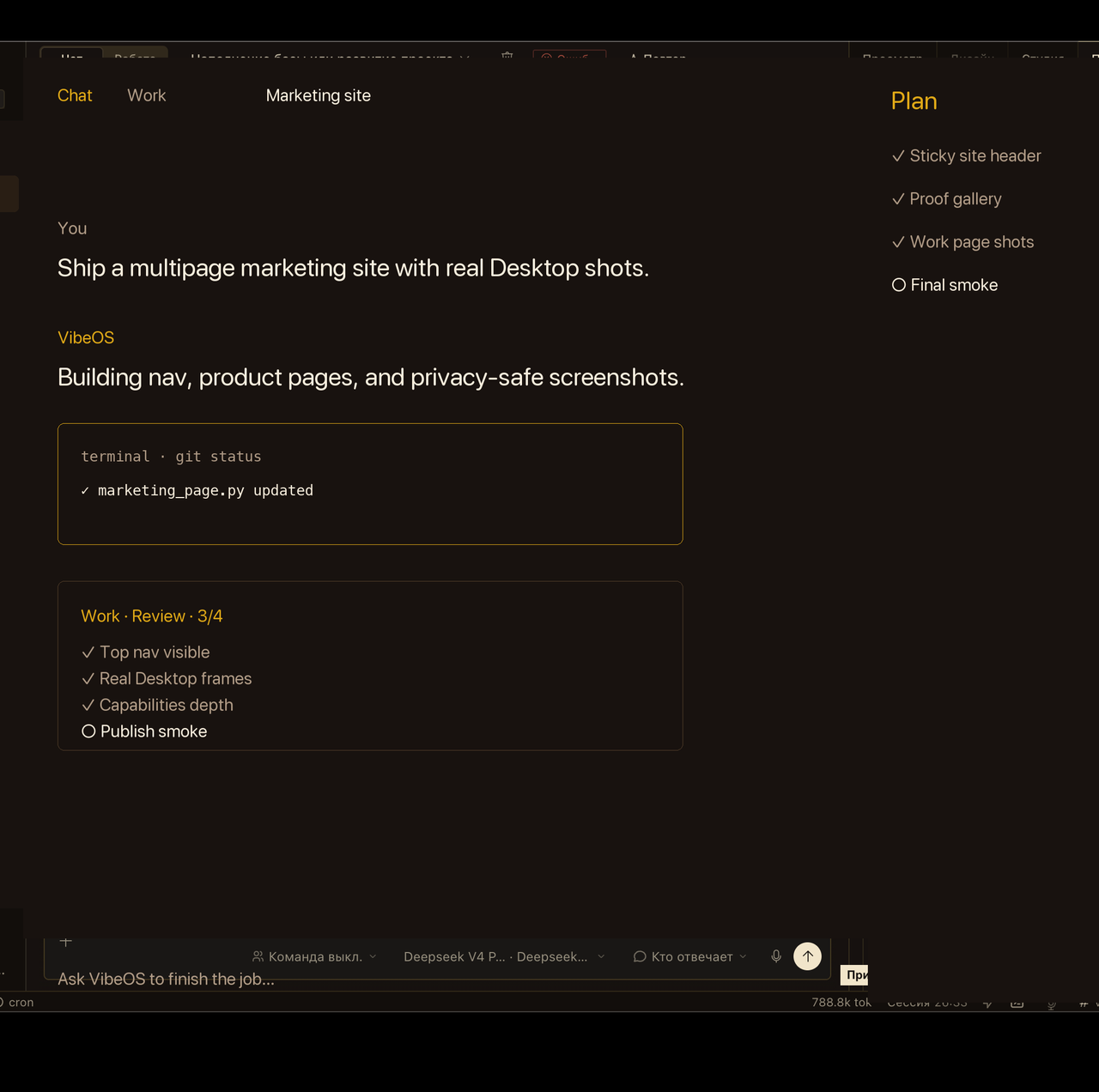
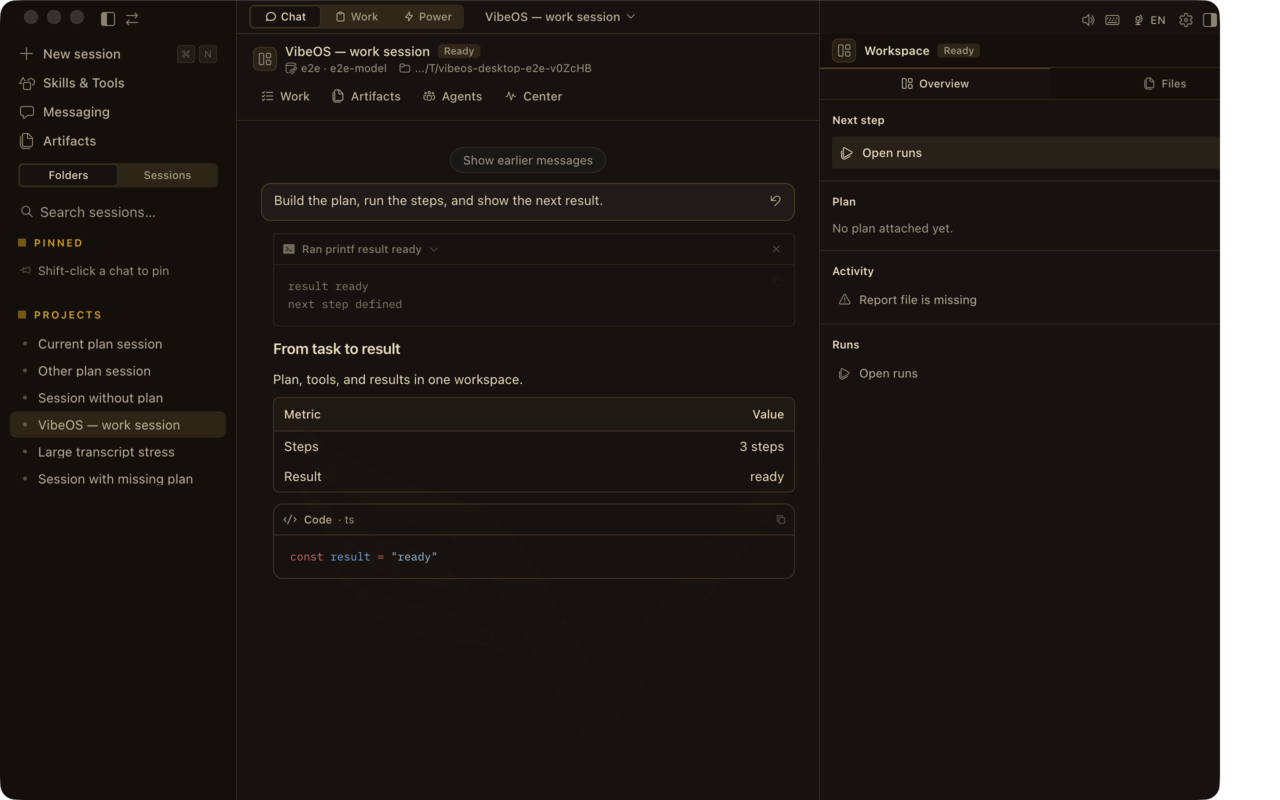
Proof from the real Desktop

Privacy-scrubbed captures from the VibeOS Desktop app — chat, plan, and durable work surfaces. Short claims here; handbook links carry the full procedure.

Privacy-scrubbed Desktop captures and marketing-demo loops — not a live customer session, credential, or private project.

Go deeper in the handbook

Marketing stays claim → proof → limit. Full procedures, platform matrices, and developer reference live in the handbook — not duplicated here.

Persistent memory

Curated MEMORY.md / USER.md plus optional providers (Honcho, Mem0, and others) so preferences and project facts survive sessions. Providers are configured capabilities — not universal defaults.

Open handbook

Skills

On-demand playbooks the agent loads when needed. Compatible with agentskills.io; bundled, optional, and community skills. Skills are configured — not every session ships every playbook.

Open handbook

Cron jobs

Natural-language or cron schedules; deliver results to any connected platform while the gateway stays awake.

Open handbook

Kanban board

Durable multi-agent task board for longer jobs that must survive restarts (unlike process-local delegate_task).

Open handbook

Browser automation

Navigate sites, fill forms, extract data via Browserbase, Browser Use, or local Chrome CDP.

Open handbook

Voice & TTS

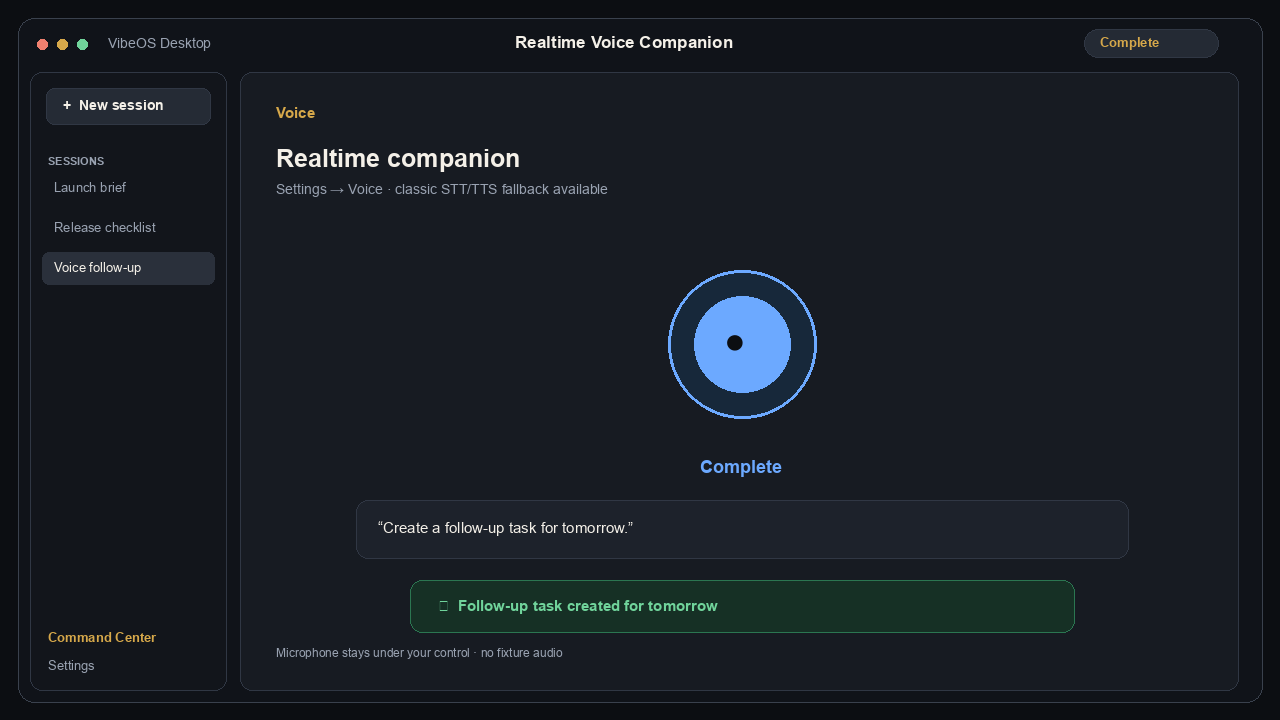
Voice mode and text-to-speech across CLI and messaging, with multiple TTS providers. Optional realtime voice is off by default; classic STT → agent → TTS remains the fallback.

Open handbook

MCP

Attach any MCP server over stdio or HTTP. Filter tools per server; keep the permanent core schema small.

Open handbook

Approvals

Configured sensitive actions can pause for once/session/always/deny across CLI and messaging. Approvals reduce risk; they do not guarantee complete safety.

Open handbook

Agent Modes

In the composer Mode pill walk Ask → Plan → Agent, then Debug or Review when you need facts or critique.

Open handbook

Command Center

Open ⌘. / Ctrl+. to jump from session search to storage health and token usage without leaving Desktop.

Open handbook
Optional realtime voice with classic STT fallback.

What you can produce

Typical deliverables the agent manufactures end-to-end — not just chat answers.

Code & repos

Features, refactors, tests, PRs, migrations, and local or remote terminal work.

Ops & research

Deploy scripts, health checks, Research Pro digests (`vibeos research`), scraped data, and cited reports.

Content & media

Docs, briefs, slides-oriented drafts, image assets, and transcribed voice notes.

Standing automations

Recurring cron digests, watcher notifications, kanban worker pipelines, webhook reactions.

Capability catalog

Each card states what ships, an honest limit, and a handbook deep link — marketing summarizes; the handbook holds procedures.

Where it runs

CLI & TUI

Interactive terminal agent with slash commands, skins, approvals, and an Ink TUI — same conversation loop as Desktop.

Richest for keyboard workflows; Desktop remains the fullest UI.

Open handbook

Desktop app

Native Mac and Windows clients with chat, Plan rail, Work inbox, sessions, and the same agent tooling.

Mac/Windows installers; Linux Desktop is not the primary release path today.

Open handbook

Messaging gateway

Telegram, Discord, Slack, WhatsApp, Teams, Signal, Matrix, email, IRC, and more — ~20 adapters, one gateway, one conversation model.

You self-host the gateway; shared hosted messaging bots are not included yet.

Open handbook

Hosted dashboard

Browser workspace for sessions, files, models, cron, skills, plugins, and keys (invite / paid seats on this site).

Hosted seats are invite/paid; Free means local install, not a cloud account.

Open handbook
Closed learning loop

Persistent memory

Curated MEMORY.md / USER.md plus optional providers (Honcho, Mem0, and others) so preferences and project facts survive sessions. Providers are configured capabilities — not universal defaults.

Providers are configured, not universal defaults; profiles keep memory isolated.

Open handbook

Skills

On-demand playbooks the agent loads when needed. Compatible with agentskills.io; bundled, optional, and community skills. Skills are configured — not every session ships every playbook.

Skills load on demand — they do not permanently expand the core tool schema.

Open handbook

Session recall

FTS5 session search so the agent can find prior work instead of starting from zero.

Recall searches your local session store under VibeOS home.

Open handbook
Automation & scale

Cron jobs

Natural-language or cron schedules; deliver results to any connected platform while the gateway stays awake.

Needs a running gateway/scheduler; sleep pauses Work and cron on that machine.

Open handbook

Delegation

Spawn subagents with isolated context and terminals; batch parallel workstreams. Process-local — gone if the process exits. Prefer kanban/cron for restart-durable work.

Background delegate_task is process-local — use cron/kanban for restart durability.

Open handbook

Kanban board

Durable multi-agent task board for longer jobs that must survive restarts (unlike process-local delegate_task).

Board isolation is hard; specialist tools stay check_fn-gated for normal chat.

Open handbook

Batch runs

Run hundreds of prompts in parallel for evals or trajectory capture.

Eval/trajectory runs — not a substitute for durable kanban work.

Open handbook
Web, media & voice

Browser automation

Navigate sites, fill forms, extract data via Browserbase, Browser Use, or local Chrome CDP.

Needs a configured browser backend (local CDP, Browserbase, or Browser Use).

Open handbook

Vision

Paste or attach images; analyze screenshots and UI with vision-capable models.

Depends on a vision-capable model/provider you configure (BYOK).

Open handbook

Image generation

Generate images from prompts through configured providers (for example FAL models).

Optional image_gen providers; nothing ships without your keys/config.

Open handbook

Voice & TTS

Voice mode and text-to-speech across CLI and messaging, with multiple TTS providers. Optional realtime voice is off by default; classic STT → agent → TTS remains the fallback.

Realtime voice is off by default; classic STT → agent → TTS remains the fallback.

Open handbook
Extend at the edges

Plugins

Register tools, hooks, and CLI commands under ~/.vibeos/plugins/ — no core fork. Opt-in via `vibeos plugins` and config allow-lists.

Plugins must not patch core; third-party SaaS plugins ship as standalone repos.

Open handbook

Hooks (three systems)

Plugin hooks (tool/LLM/session/approval/kanban), gateway HOOK.yaml events, and shell hooks in config.yaml for scripts and guardrails.

Hook failures must not crash the agent; prefer observe/block over silent mutation.

Open handbook

MCP

Attach any MCP server over stdio or HTTP. Filter tools per server; keep the permanent core schema small.

Per-server tool filters keep schema cost off the permanent core.

Open handbook

Computer use

Optional macOS computer-use tool for GUI control when the driver is installed.

Optional macOS computer-use when the driver is installed — not cross-platform.

Open handbook
Connect everywhere

IDE (ACP)

VS Code, Zed, JetBrains — chat, tool activity, diffs, and terminal in the editor.

Editor adapters differ; Desktop remains the richest chat surface.

Open handbook

API server

OpenAI-compatible HTTP endpoint so Open WebUI and similar frontends can drive VibeOS.

OpenAI-compatible bridge for frontends you host — not a public multi-tenant API product.

Open handbook

Profiles

Isolated VIBEOS_HOME instances — separate config, keys, memory, and gateways per profile.

Profiles are independent islands — no live config inheritance between them.

Open handbook

Video generation

Optional video_gen toolset via plugins (for example FAL / xAI) when configured.

Optional plugin toolset; requires a configured video provider.

Open handbook

IRC

Classic IRC gateway adapter — same agent core in channels that still prefer IRC.

Classic IRC adapter — same agent core, platform-specific setup.

Open handbook
Safety & durability

Approvals

Configured sensitive actions can pause for once/session/always/deny across CLI and messaging. Approvals reduce risk; they do not guarantee complete safety.

Approvals pause configured sensitive actions; they do not guarantee complete safety.
Open handbook

Checkpoints

Automatic working-tree snapshots before file edits; `/rollback` when needed.

Snapshots cover the working tree before file edits — not every external side effect.

Open handbook

Curator

Background skill maintenance: archive stale agent-authored skills, never delete.

Only agent-authored skills auto-archive; bundled/hub skills stay off-limits.

Open handbook

Prompt cache

Byte-stable system prompt for the life of a conversation — cache-breaking only on compression.

Compression is the only mid-conversation context rewrite — toolset swaps mid-chat are out.

Open handbook