Personal AI agent on your computer
Ecosystem at the edges
Narrow core — expandable system. Skills, plugins, MCP, hooks, messaging platforms, and profiles grow capability without a giant chat sidebar. Technical setup is below.
New here? Start with scenarios or the capabilities catalog:
Use cases
· Capabilities
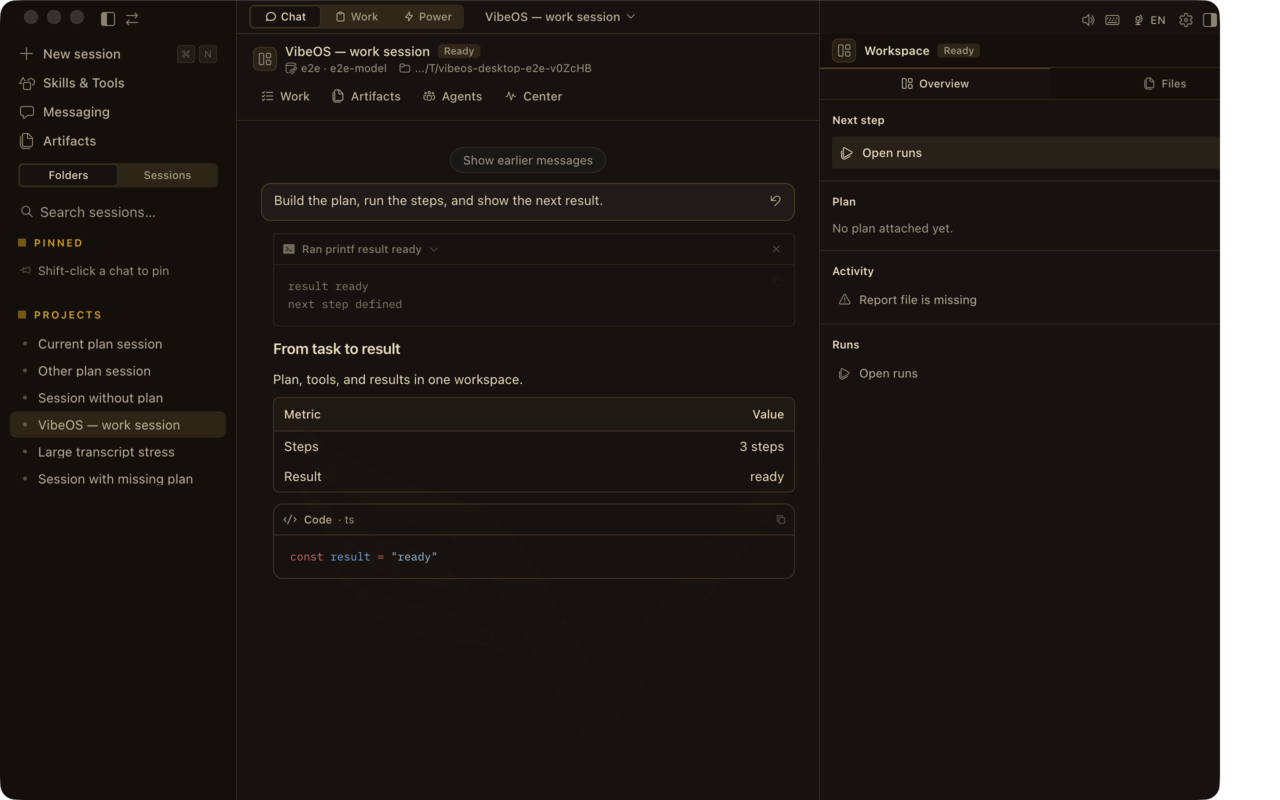
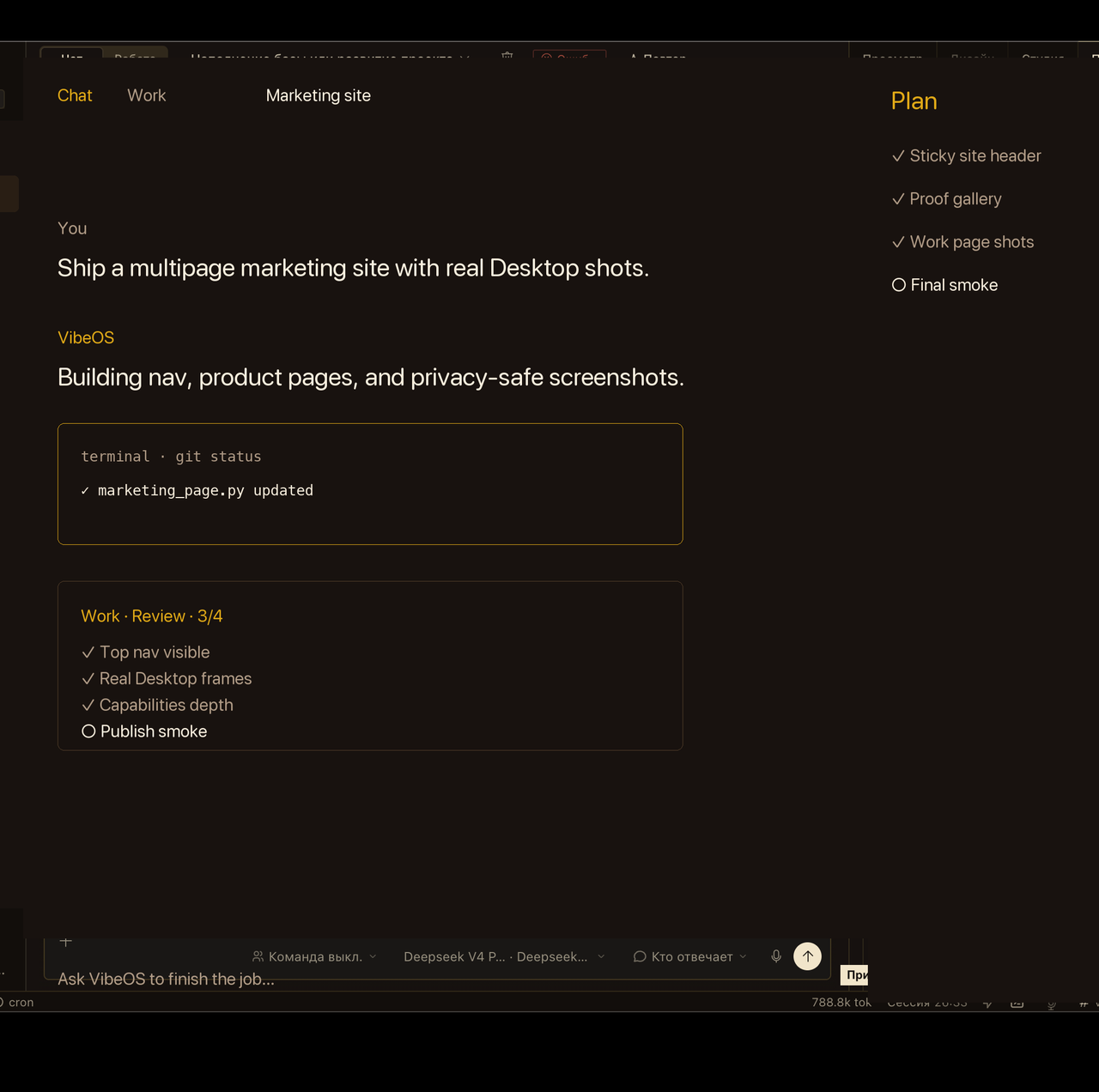
Skills load repeatable playbooks without bloating the core. How the product looks Desktop chat with Plan · Report · Design · Runs, Work inbox, approvals, and skills — the same surfaces the product pages claim.
Frames as of 2026-08-06 — refreshed with each Desktop release.
Chat + Plan rail — ask, plan, act, verify. Work inbox keeps goals visible after the chat window closes. Sensitive actions pause for explicit approval. Skills load repeatable playbooks without bloating the core. Privacy-scrubbed Desktop captures and marketing-demo loops — not a live customer session, credential, or private project.
Ecosystem at the edges
Narrow core — memory, context, routing, safety. Capability grows as skills, plugins, MCP, hooks, messaging platforms, and profiles.
VibeOS core
Memory · context · routing · safety — keep the waist lean and the prompt cache valid.
Skills Specialized playbooks loaded on demand.
Research & analysis Content generation Automation playbooks Language packs Hundreds shipped · more via hub
Open handbook Plugins Tools, providers, and integrations outside core.
Custom tools Memory / model providers CLI subcommands Dashboard widgets User + pip plugins · allow-listed
Open handbook MCP Model Context Protocol servers at the edge.
Stdio or HTTP Tool filters per server Catalog installs Zero permanent core schema Catalog + any MCP you attach
Open handbook Hooks Lifecycle points without forking the agent.
Plugin hooks Gateway HOOK.yaml Shell hooks in config Observe · rewrite · block Three hook systems
Open handbook Messaging platforms Same agent core across messengers you host.
Telegram · Discord · Slack WhatsApp · Signal · Matrix Email · Teams · more Voice on connected surfaces ~20 platform adapters
Open handbook Profiles Isolated homes for roles and teams.
Separate keys & memory Tone and tool policy Gateway credentials Clone-at-creation, then independent As many as you need
Open handbook
Narrow core — strength at the edges.
Why extend Custom tools ctx.register_tool(...) adds schemas the model can call — ideal for team-specific APIs and workflows.
Skills On-demand playbooks (agentskills.io). Bundled, optional, and hub skills; curator archives stale agent-authored ones.
Prompt cache stays sacred We do not swap toolsets or rebuild the system prompt mid-conversation. Extensions load for the session; cache-breaking is reserved for compression.
For people who configure
Plugins
Install under ~/.vibeos/plugins/ or via pip entry points. A plugin can register tools, hooks, and CLI subcommands without touching run_agent.py.
Plugin kinds General plugins, memory providers, model providers, context engines, image/video gen — each with its own discovery path.
Management UI `vibeos plugins` lists, enables, and disables plugins; config.yaml keeps an allow-list so nothing loads by surprise.
Hooks
Run custom code at lifecycle points — observe, rewrite, or block — without crashing the agent if a hook fails.
Three hook systems
Plugin hooks pre/post tool & LLM, approvals, session, kanban — via ctx.register_hook().
Gateway hooks HOOK.yaml + handler.py for messaging events: logging, alerts, webhooks.
Shell hooks config.yaml hooks: block, format, or inject context from scripts.
For people who configure: plugin, gateway, and shell hooks.
MCP & skills
MCP servers Connect stdio or HTTP MCP servers for GitHub, databases, and internal tools — zero permanent core-schema cost.
Skills On-demand playbooks (agentskills.io). Bundled, optional, and hub skills; curator archives stale agent-authored ones.