VibeOS
あなたのコンピュータ上のパーソナル AI エージェント
A personal AI agent that carries work through to the result
One memory, browser, terminal and your tools. Planning, scheduled work and agent teams in one account across web and local app.
From goal to result
Online + local
Your data under control
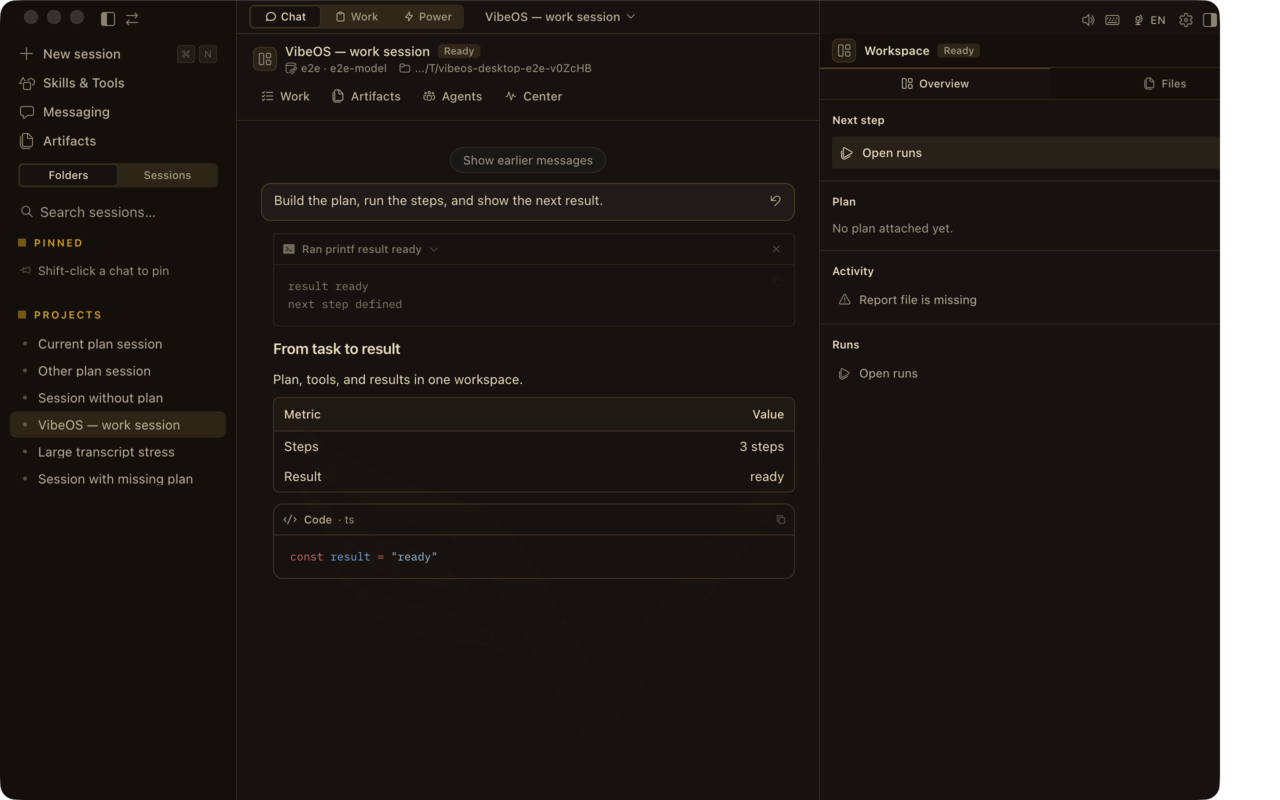 チャット + Plan rail — 尋ね、計画し、実行し、確認。
MemoryProjects, decisions and preferences
ToolsBrowser, terminal, files and APIs
AutomationBackground and scheduled work
AgentsA team for complex work
Memory + agents
One context connects all the work
VibeOS remembers projects, decisions and preferences, gives agents the context they need, and connects browser, terminal, files and scheduled work.
How memory works →

何を終わらせたいですか?
ジョブを選び、Desktop の画面とインストール手順へ。
コードを出荷
編集、テスト、PR — マシン上で手を動かせるエージェント。
コードを出荷調査ブリーフ
ソースを集め、ブリーフを書き、承認ゲートで止める。
調査ブリーフOps ダイジェスト
定期チェックと、再起動をまたぐ持続タスク。
Ops ダイジェスト目標を完了
Work Mode — チャット窓がゴールラインであってはいけないとき。
目標を完了ページで探す
サイトは意図的に複数ページ:各領域に証明と詳細の余地があります。
プロダクト
Desktop UI:Plan rail、Command Center、音声、各サーフェス。
プロダクトを開く
機能
機能カタログ一式 — tools、memory、cron、kanban、media、safety。
すべての機能
Work Mode
目標 → 手順 → 承認 → チャット後も残る成果物。
Work Mode を見る
ユースケース
コーディング、調査、ops、メッセージングの具体ジョブ。
シナリオを見る
セキュリティ
承認、BYOK、local-first — マシンに残るもの。
セキュリティを読む
Plain language
インストール経路、最初のセッション、プロダクトの六本柱。
はじめる
プロダクトの見た目
Plan · Report · Design · Runs 付き Desktop チャット、Work inbox、承認、skills。
2026-08-06 時点のフレーム — Desktop リリースごとに更新。
チャット + Plan rail — 尋ね、計画し、実行し、確認。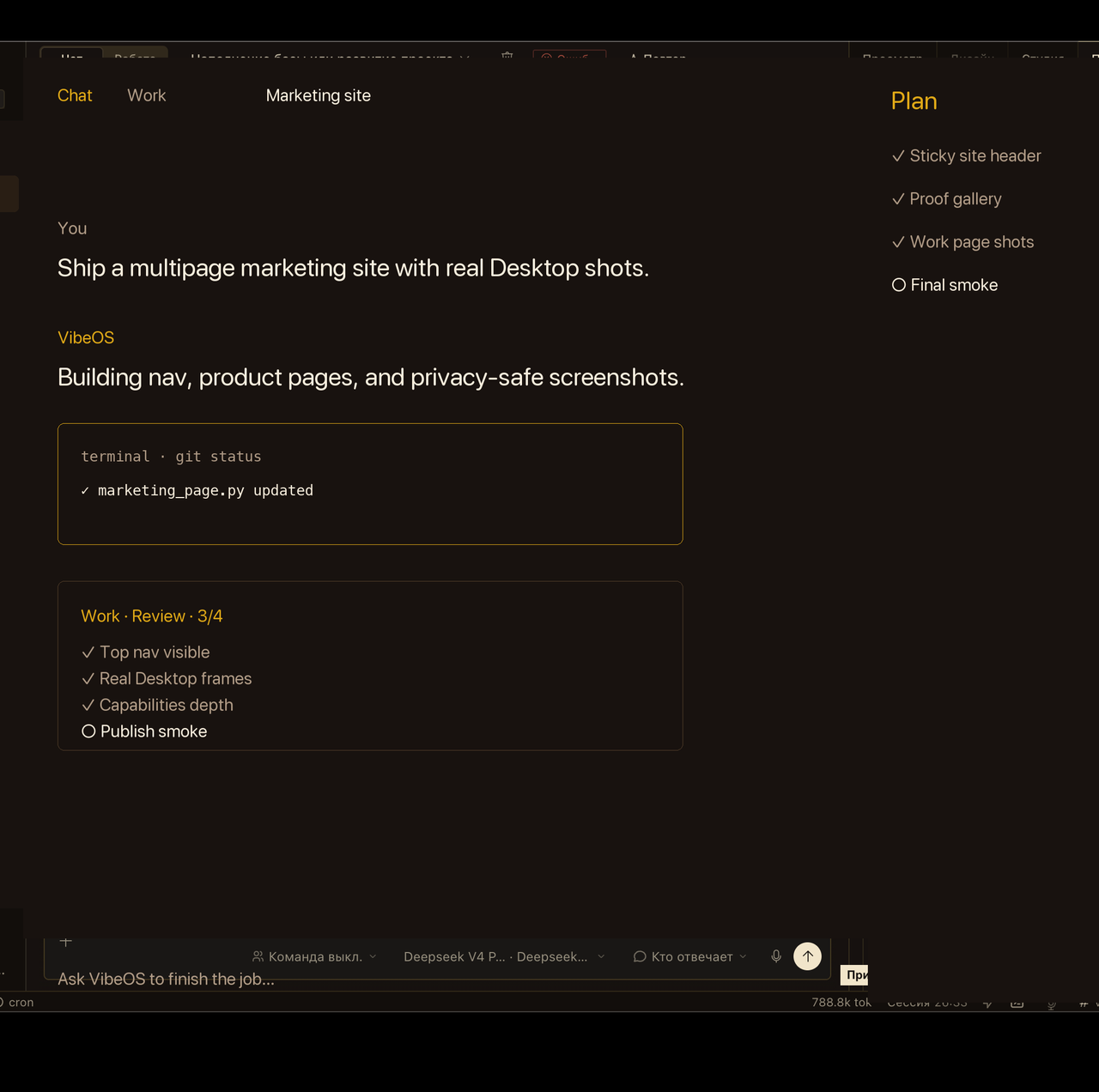 Work inbox はチャットを閉じたあとも目標を見えるままにします。
 機微な操作は明示承認まで待機します。
 Skills はコアを膨らませず再利用プレイブックを読み込みます。
 モーション
公開ループ:hero、承認、voice。reduced-motion ではポスターのみ。
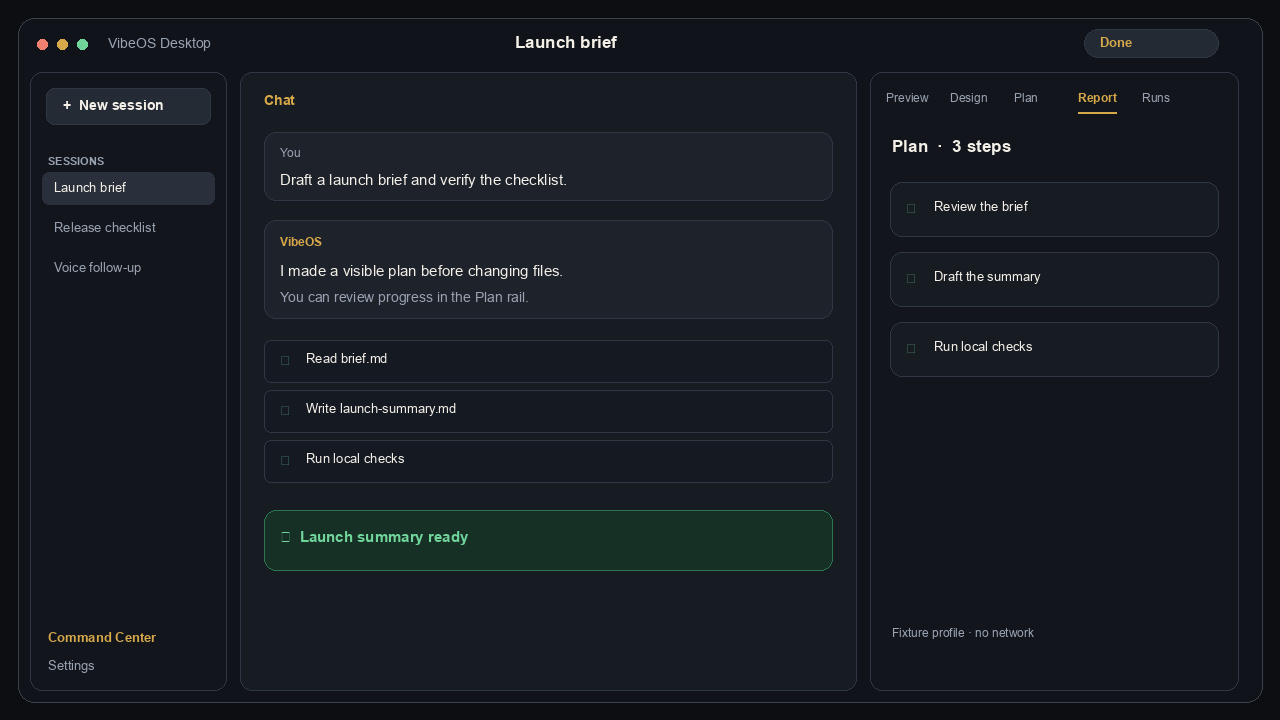 依頼 → 計画 → ローカル tools → 結果。Persistent memory coordinates specialist agents and connected tools.
フレームはプライバシー配慮の製品キャプチャ(顧客のライブセッションではありません)。
Choose the right level
Personal · 1 200 ₽
For personal projects, memory, tools and scheduled work.
Details
Pro · 1 800 ₽
For intensive work, Work Mode and agent teams.
Details
Team · 3 000 ₽
For five members, shared projects, roles and audit.
Details
Get connected in three steps
- Choose Personal, Pro or Team and complete payment.
- Sign in or create one VibeOS account.
- After activation, download the app from the protected account.
ホストアクセスは支払い後の招待で発行。各アカウントに隔離された home。(メッセージング ゲートウェイはオペレータ管理のまま。)
全体概要