VibeOS
在你電腦上的個人 AI 代理
A personal AI agent that carries work through to the result
One memory, browser, terminal and your tools. Planning, scheduled work and agent teams in one account across web and local app.
From goal to result
Online + local
Your data under control
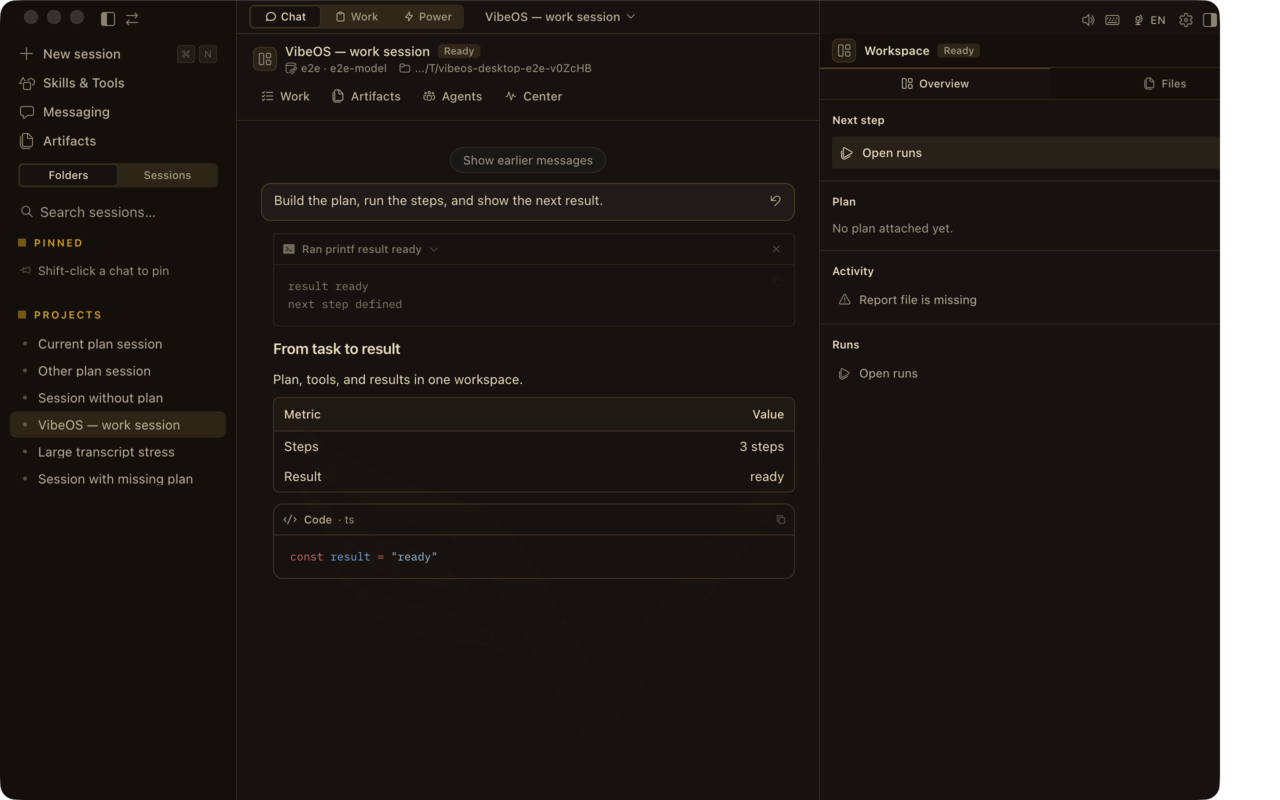 聊天 + Plan 欄 — 提問、計劃、行動、驗證。
MemoryProjects, decisions and preferences
ToolsBrowser, terminal, files and APIs
AutomationBackground and scheduled work
AgentsA team for complex work
Memory + agents
One context connects all the work
VibeOS remembers projects, decisions and preferences, gives agents the context they need, and connects browser, terminal, files and scheduled work.
How memory works →

你想完成什麼?
選一個任務 — 然後看 Desktop 畫面與安裝路徑。
交付代碼
編輯、測試與 PR — 在你機器上動手的代理。
交付代碼研究簡報
收集來源、起草簡報,並在審批門停下。
研究簡報運維摘要
定時檢查與可跨越重啓的持久任務。
運維摘要完成一個目標
Work Mode — 當聊天窗口不能是終點時。
完成一個目標按頁面探索
站點有意做成多頁:每個區域都有證明與細節的空間。
產品
Desktop UI:Plan 欄、Command Center、語音與各界面。
打開產品
能力
完整能力目錄 — 工具、記憶、cron、kanban、媒體、安全。
全部能力
Work Mode
目標 → 步驟 → 審批 → 聊天關閉後仍在的交付物。
查看 Work Mode
使用場景
編碼、研究、運維與消息場景的具體任務。
瀏覽場景
安全
審批、BYOK、本地優先 — 什麼留在你的機器上。
閱讀安全
Plain language
安裝路徑、首次會話,以及產品的六大支柱。
開始使用
產品長什麼樣
帶 Plan · Report · Design · Runs 的 Desktop 聊天、Work 收件箱、審批與 skills。
畫面截至 2026-08-06 — 隨每個 Desktop 版本更新。
聊天 + Plan 欄 — 提問、計劃、行動、驗證。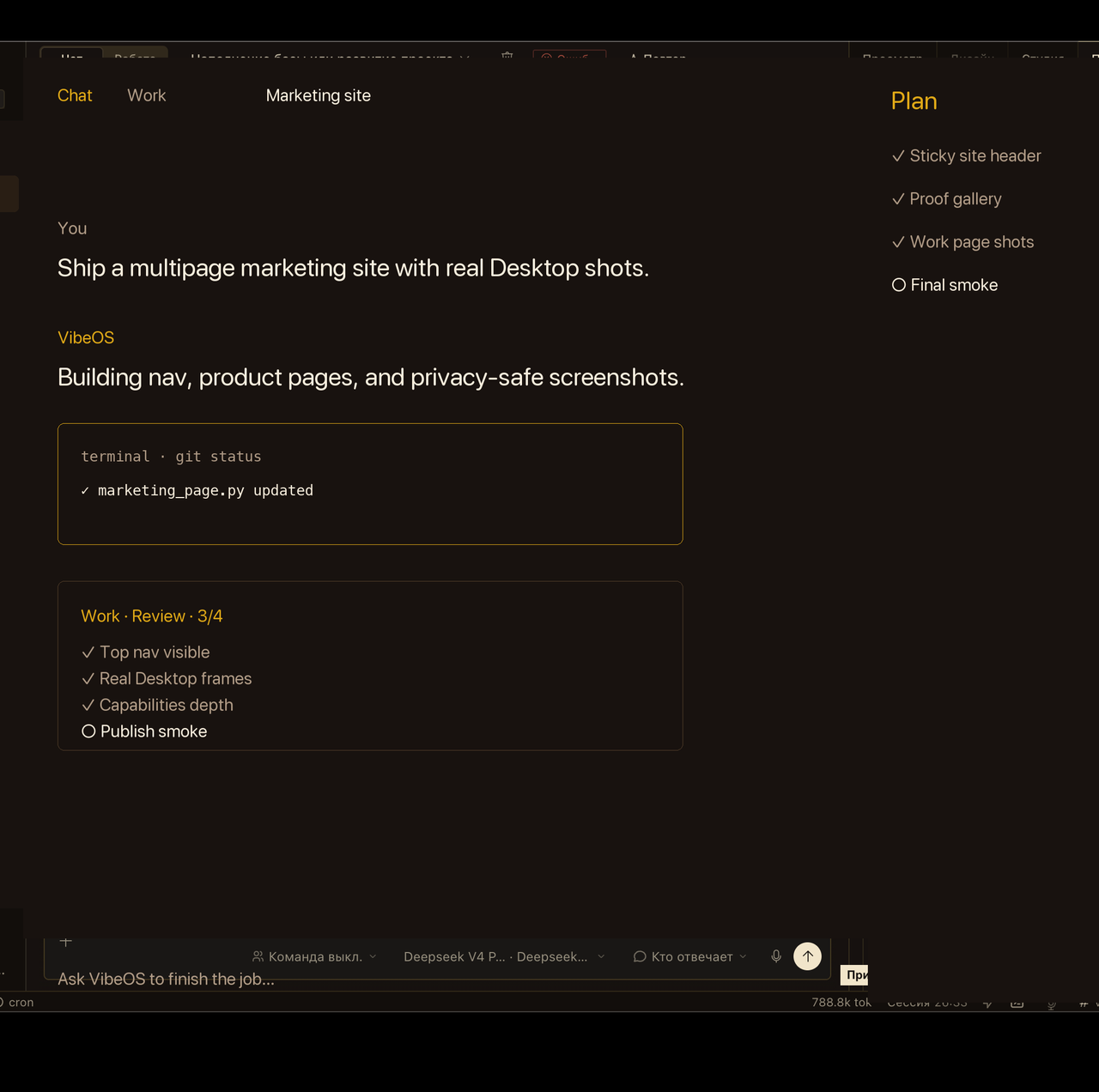 Work 收件箱在聊天窗口關閉後仍讓目標可見。
 敏感操作會等待明確批准。
 Skills 加載可復用劇本,而不膨脹核心。
 動態
已發布循環:hero、審批與語音。減弱動態時僅顯示海報。
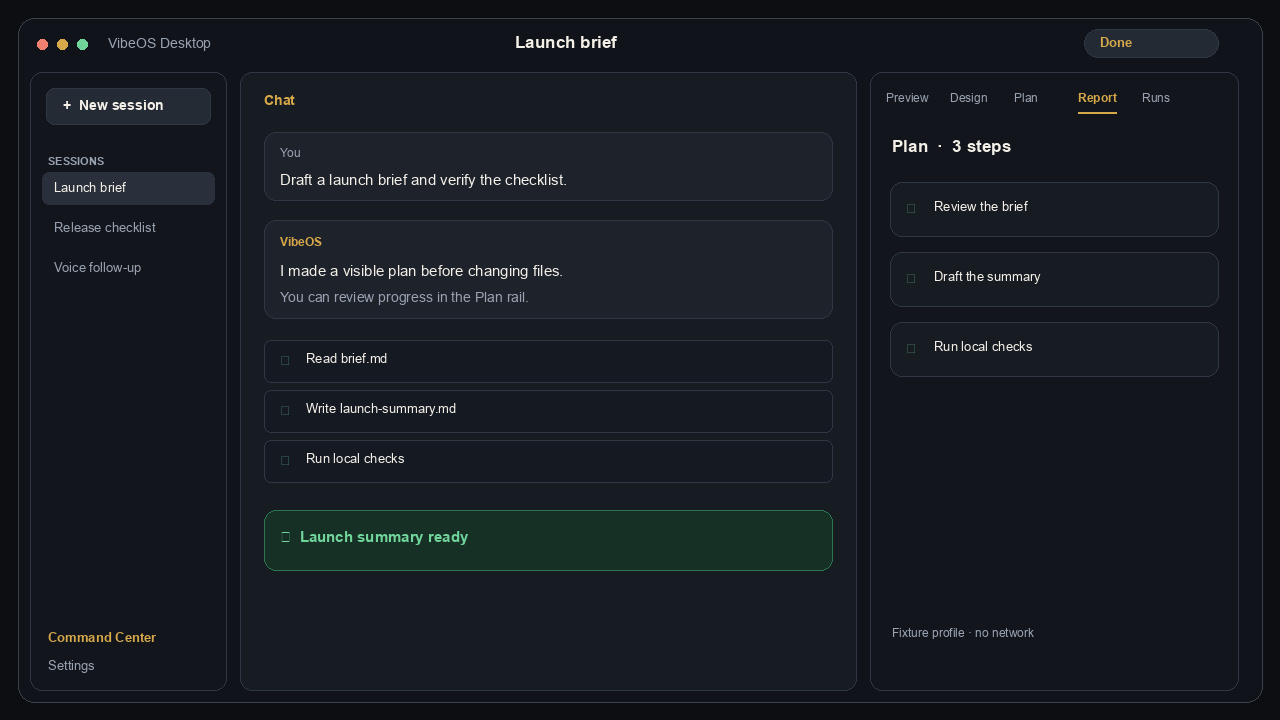 提問 → 計劃 → 本地工具 → 結果。Persistent memory coordinates specialist agents and connected tools.
畫面爲注重隱私的產品截取(非客戶實時會話)。
Choose the right level
Personal · 1 200 ₽
For personal projects, memory, tools and scheduled work.
Details
Pro · 1 800 ₽
For intensive work, Work Mode and agent teams.
Details
Team · 3 000 ₽
For five members, shared projects, roles and audit.
Details
Get connected in three steps
- Choose Personal, Pro or Team and complete payment.
- Sign in or create one VibeOS account.
- After activation, download the app from the protected account.
託管存取於付款後以邀請發放;每個帳號有隔離的 home。(通訊閘道仍由營運方管理。)
完整概覽