在你電腦上的個人 AI 代理
What VibeOS can do
A personal agent OS — not a chat sidebar. One agent core runs in Desktop, CLI/TUI, and messaging gateways. Desktop is the fullest surface; other entry points differ in setup. Catalog below is claim + proof; handbook holds procedures.
Download desktop
See the tooling
Product tour
Plugins & hooks
選擇起點 挑選你需要的協助類型;同一代理支援每條路徑。
選擇一個場景來查看示例。
詢問和探索 在我的電腦上工作 協調一個團隊 自動化例程
一種代理,多種表面 繼續跨桌面、終端、儀錶板、IDE 和消息傳遞。
文件、終端和瀏覽器 尋求有關您計算機上已使用的工具的幫助。
記憶力和技能 保留有用的上下文並打開可重複工作的劇本。
時間表和共享工作 按計劃運行作業並在 kanban 板上跟蹤較大的工作。
Work Mode 將目標轉化爲步驟、檢查點和最終結果。
輕輕伸展 在更改核心之前添加技能、插件或連接的服務。
從聊天到行動
> 總結一下這個文件夾裏的筆記
→ 閱讀項目筆記
✓ 發現並總結筆記
以下是要保留的三個決定。
問一次;代理可以使用工具並進行報告。
有幫助的背景
記住 保留早期工作中有用的背景。
選擇技能 爲手頭的工作打開一本劇本。
申請 使用當前任務的上下文和步驟。
有用的上下文和手冊使重複工作變得更加容易。
持續不斷的例行公事
定時任務 → Kanban卡 → 完畢
時間表可以創造出易於遵循的持久工作。
Work pipeline
1 Goal 2 Plan 3 Steps 4 Approval 5 Deliverable
Scheme: goal → steps → approval → result. Survives closing the chat window.
來自真實Desktop的證明
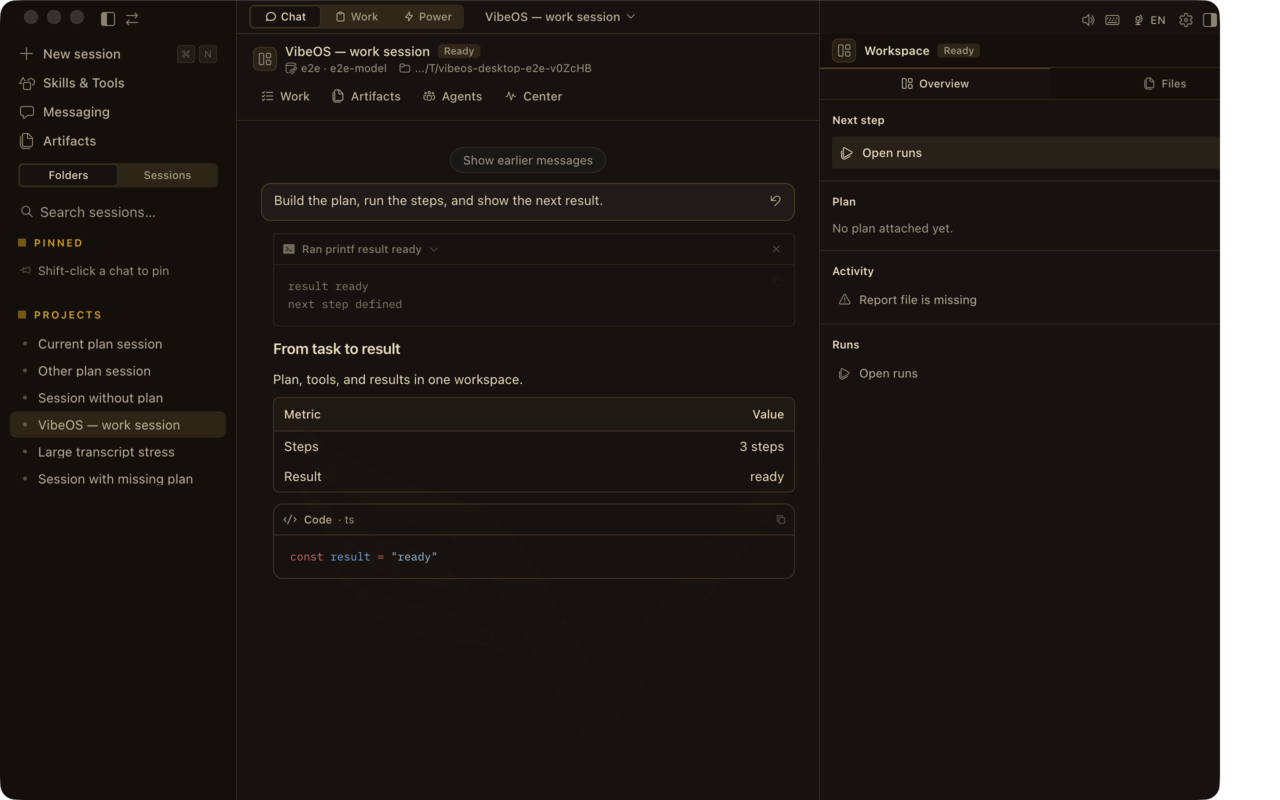
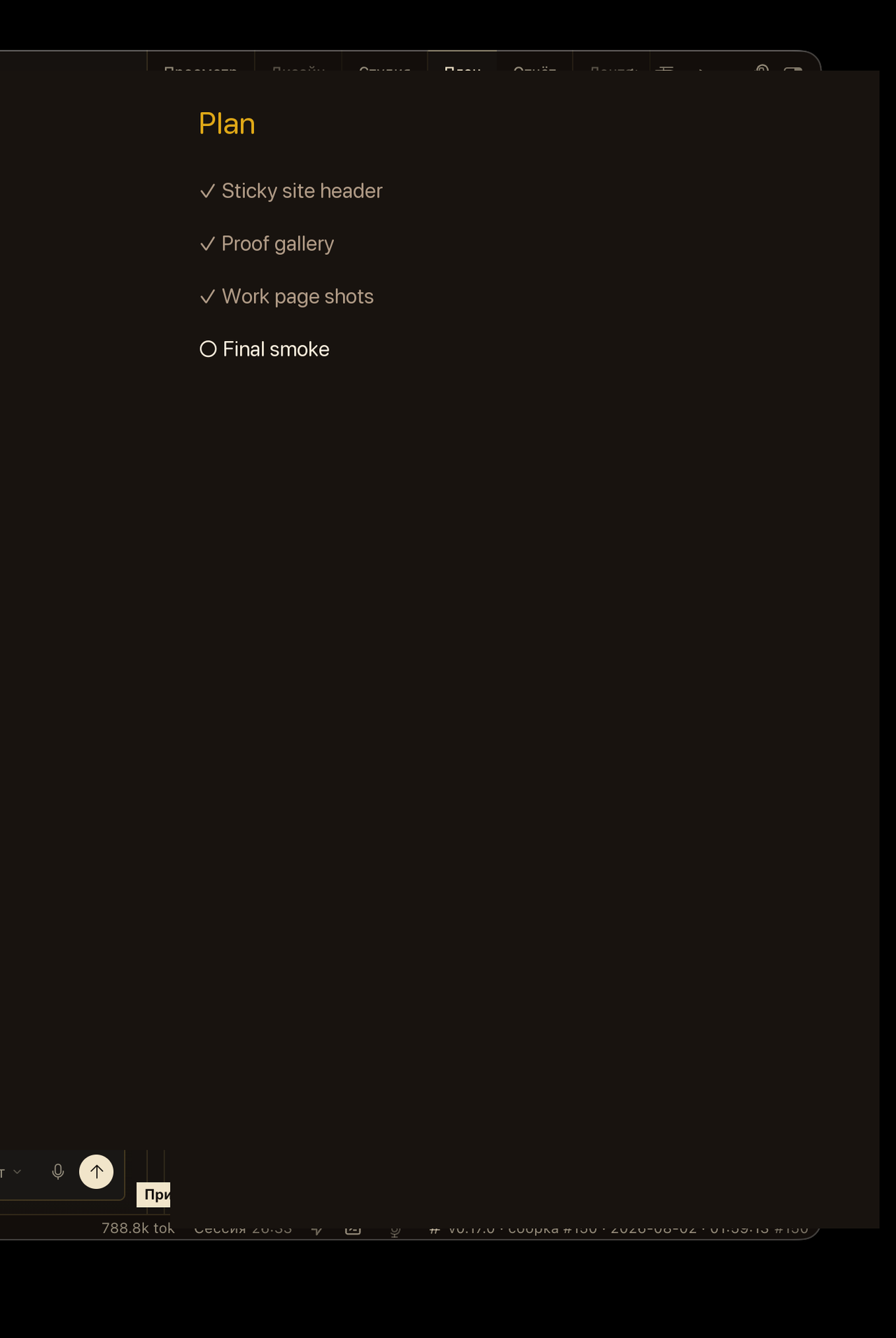
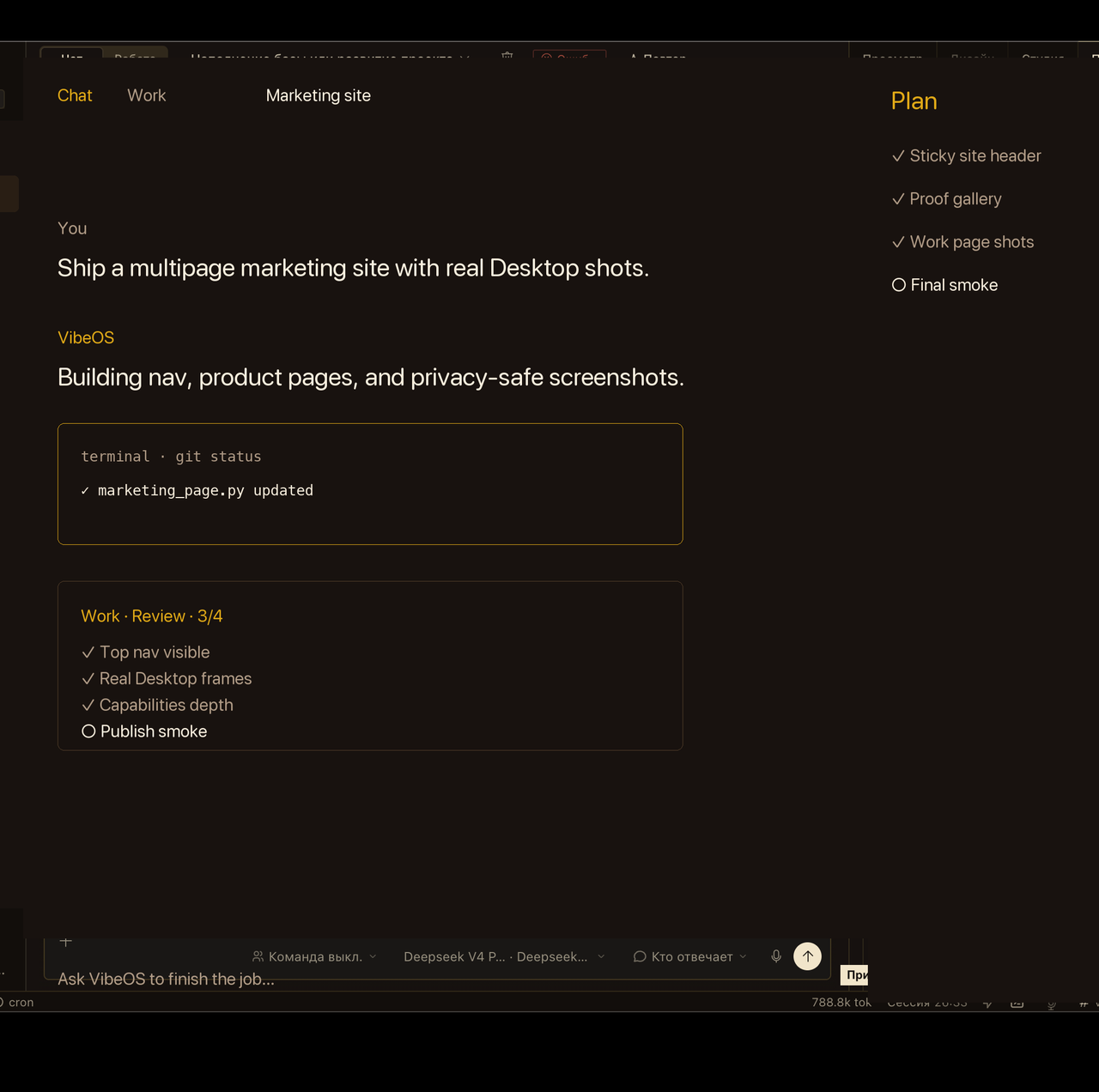
來自 VibeOS Desktop 應用程序的隱私清除捕獲 — 聊天、計劃和耐用的工作界面。這裡簡短的主張;手冊鏈接包含完整的程序。
畫面爲注重隱私的產品截取(非客戶實時會話)。
聊天 + Plan 欄 — 提問、計劃、行動、驗證。 按 ⌘. / Ctrl+.,從會話搜索跳到存儲健康與令牌用量,無需離開 Desktop。 Work 收件箱在聊天窗口關閉後仍讓目標可見。
深入了解手冊 營銷保持主張→證據→限制。手冊中包含完整的程序、平臺矩陣和開發人員參考資料,此處不再重複。
Persistent memory Curated MEMORY.md / USER.md plus optional providers (Honcho, Mem0, and others) so preferences and project facts survive sessions. Providers are configured capabilities — not universal defaults.
打開手冊 Skills On-demand playbooks the agent loads when needed. Compatible with agentskills.io; bundled, optional, and community skills. Skills are configured — not every session ships every playbook.
打開手冊 Cron jobs Natural-language or cron schedules; deliver results to any connected platform while the gateway stays awake.
打開手冊 Kanban board Durable multi-agent task board for longer jobs that must survive restarts (unlike process-local delegate_task).
打開手冊 Browser automation Navigate sites, fill forms, extract data via Browserbase, Browser Use, or local Chrome CDP.
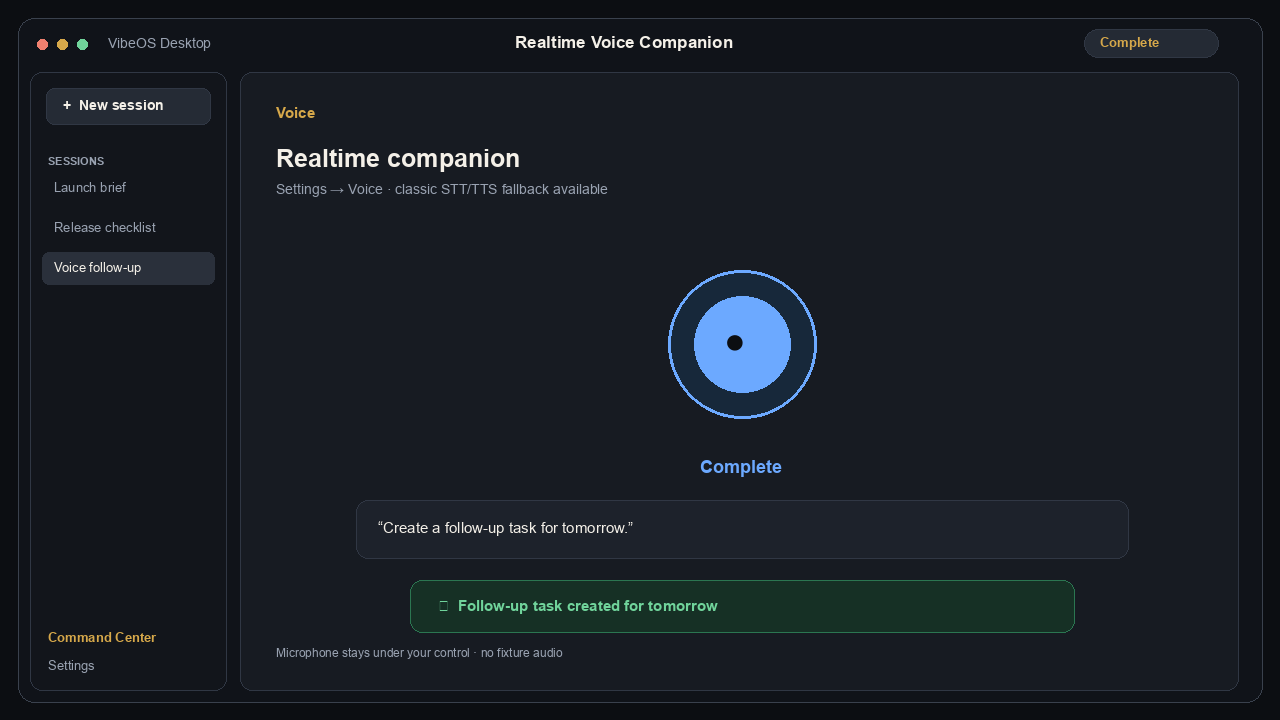
打開手冊 Voice & TTS Voice mode and text-to-speech across CLI and messaging, with multiple TTS providers. Optional realtime voice is off by default; classic STT → agent → TTS remains the fallback.
打開手冊 MCP Attach any MCP server over stdio or HTTP. Filter tools per server; keep the permanent core schema small.
打開手冊 Approvals Configured sensitive actions can pause for once/session/always/deny across CLI and messaging. Approvals reduce risk; they do not guarantee complete safety.
打開手冊 Agent Modes 在作曲器 Mode 膠囊中走 Ask → Plan → Agent,需要時再 Debug 或 Review。
打開手冊 Command Center 按 ⌘. / Ctrl+.,從會話搜索跳到存儲健康與令牌用量,無需離開 Desktop。
打開手冊 可選實時語音,帶回退到經典 STT。
What you can produce
Typical deliverables the agent manufactures end-to-end — not just chat answers.
Code & repos Features, refactors, tests, PRs, migrations, and local or remote terminal work.
Ops & research Deploy scripts, health checks, Research Pro digests (`vibeos research`), scraped data, and cited reports.
Content & media Docs, briefs, slides-oriented drafts, image assets, and transcribed voice notes.
Standing automations Recurring cron digests, watcher notifications, kanban worker pipelines, webhook reactions.
能力目錄
每張卡片都說明了運送的內容、誠實的限制和手冊深層鏈接 - 營銷總結;該手冊載有程序。
Where it runs CLI & TUI Interactive terminal agent with slash commands, skins, approvals, and an Ink TUI — same conversation loop as Desktop.
最豐富的鍵盤工作流程; Desktop 仍然是最完整的 UI。
打開手冊 Desktop app Native Mac and Windows clients with chat, Plan rail, Work inbox, sessions, and the same agent tooling.
Mac/Windows 安裝程序; Linux Desktop 並不是當今的主要發布路徑。
打開手冊 Messaging gateway Telegram, Discord, Slack, WhatsApp, Teams, Signal, Matrix, email, IRC, and more — ~20 adapters, one gateway, one conversation model.
您自行託管網關;共享託管消息機器人尚未包括在內。
打開手冊 Hosted dashboard Browser workspace for sessions, files, models, cron, skills, plugins, and keys (invite / paid seats on this site).
託管席位是邀請/付費的;免費意味着本地安裝,而不是雲帳戶。
打開手冊 Closed learning loop Persistent memory Curated MEMORY.md / USER.md plus optional providers (Honcho, Mem0, and others) so preferences and project facts survive sessions. Providers are configured capabilities — not universal defaults.
提供者是經過配置的,而不是通用默認值;配置文件保持內存隔離。
打開手冊 Skills On-demand playbooks the agent loads when needed. Compatible with agentskills.io; bundled, optional, and community skills. Skills are configured — not every session ships every playbook.
Skills 按需加載 - 它們不會永久擴展核心工具架構。
打開手冊 Session recall FTS5 session search so the agent can find prior work instead of starting from zero.
Recall 在 VibeOS home 下搜索本地會話存儲。
打開手冊 Automation & scale Cron jobs Natural-language or cron schedules; deliver results to any connected platform while the gateway stays awake.
需要一個正在運行的網關/調度程序; sleep 暫停該機器上的 Work 和 cron。
打開手冊 Delegation Spawn subagents with isolated context and terminals; batch parallel workstreams. Process-local — gone if the process exits. Prefer kanban/cron for restart-durable work.
背景 delegate_task 是進程本地的 — 使用 cron/kanban 來實現重新啓動的持久性。
打開手冊 Kanban board Durable multi-agent task board for longer jobs that must survive restarts (unlike process-local delegate_task).
板隔離困難;專業工具在正常聊天時保持 check_fn 門控。
打開手冊 Batch runs Run hundreds of prompts in parallel for evals or trajectory capture.
評估/軌跡運行——不能替代持久的kanban工作。
打開手冊 Web, media & voice Browser automation Navigate sites, fill forms, extract data via Browserbase, Browser Use, or local Chrome CDP.
需要配置的瀏覽器後端(本地CDP、Browserbase 或Browser Use)。
打開手冊 Vision Paste or attach images; analyze screenshots and UI with vision-capable models.
取決於您配置的支持視覺的模型/提供商 (BYOK)。
打開手冊 Image generation Generate images from prompts through configured providers (for example FAL models).
可選的 image_gen 提供程序;沒有您的密鑰/配置,任何東西都不會發貨。
打開手冊 Voice & TTS Voice mode and text-to-speech across CLI and messaging, with multiple TTS providers. Optional realtime voice is off by default; classic STT → agent → TTS remains the fallback.
實時語音默認關閉;經典STT→代理→TTS仍然是後備。
打開手冊 Extend at the edges Plugins Register tools, hooks, and CLI commands under ~/.vibeos/plugins/ — no core fork. Opt-in via `vibeos plugins` and config allow-lists.
插件不得修補核心;第三方 SaaS 插件作爲獨立存儲庫提供。
打開手冊 Hooks (three systems) Plugin hooks (tool/LLM/session/approval/kanban), gateway HOOK.yaml events, and shell hooks in config.yaml for scripts and guardrails.
掛鈎失敗不得使代理崩潰;更喜歡觀察/阻止而不是沉默突變。
打開手冊 MCP Attach any MCP server over stdio or HTTP. Filter tools per server; keep the permanent core schema small.
每服務器工具過濾器使架構成本遠離永久核心。
打開手冊 Computer use Optional macOS computer-use tool for GUI control when the driver is installed.
安裝驅動程序後可選的 macOS 計算機使用 - 不跨平臺。
打開手冊 Connect everywhere IDE (ACP) VS Code, Zed, JetBrains — chat, tool activity, diffs, and terminal in the editor.
編輯器適配器不同; Desktop 仍然是最豐富的聊天界面。
打開手冊 API server OpenAI-compatible HTTP endpoint so Open WebUI and similar frontends can drive VibeOS.
用於您託管的前端的 OpenAI 兼容橋 — 不是公共多租戶 API 產品。
打開手冊 Profiles Isolated VIBEOS_HOME instances — separate config, keys, memory, and gateways per profile.
配置文件是獨立的島嶼——它們之間沒有實時配置繼承。
打開手冊 Video generation Optional video_gen toolset via plugins (for example FAL / xAI) when configured.
可選的插件工具集;需要已配置的視頻提供商。
打開手冊 IRC 經典 IRC gateway 適配器 — 在仍偏好 IRC 的頻道使用同一代理核心。
經典 IRC 適配器 — 相同的代理核心、特定於平臺的設置。
打開手冊 Safety & durability Approvals Configured sensitive actions can pause for once/session/always/deny across CLI and messaging. Approvals reduce risk; they do not guarantee complete safety.
批准暫停配置的敏感操作;它們不能保證完全安全。
打開手冊 Checkpoints Automatic working-tree snapshots before file edits; `/rollback` when needed.
快照會在文件編輯之前覆蓋工作樹——並非所有外部副作用。
打開手冊 Curator Background skill maintenance: archive stale agent-authored skills, never delete.
僅自動存檔代理編寫的技能;捆綁/中心技能仍然不受限制。
打開手冊 Prompt cache Byte-stable system prompt for the life of a conversation — cache-breaking only on compression.
壓縮是唯一的對話中上下文重寫——聊天中工具集交換已經過時了。
打開手冊